COMS W4181 · Security I · Fall 2026 · Lecture 3
TLS and the
Zhuo Zhang
Columbia University
$ openssl s_client -connect chase.com:443
# a private, honest channel to the real chase.com, over a hostile network
Last lecture left an unsolved problem: public-key crypto works, and you still cannot tell whose
key you are holding. TLS is the answer the whole Internet actually deployed. Two halves: the
cryptographic channel, which is now very good, and the public-key infrastructure that decides
whose key is whose, which is where almost everything has gone wrong. We will build the modern
TLS 1.3 handshake, then spend the rest of the lecture on the ways the PKI has failed.
[ !] Feedback - tell us how it's going
The anonymous Slido is open all lecture.
Too fast or too slow? Say so, live. Something didn't land? Drop it in and I'll loop back. No name attached. Totally anonymous.
Anonymous feedback
Same anonymous Slido as always - scan it, tell me if the pace is off or something did not land, no name attached. I will check it as we go.
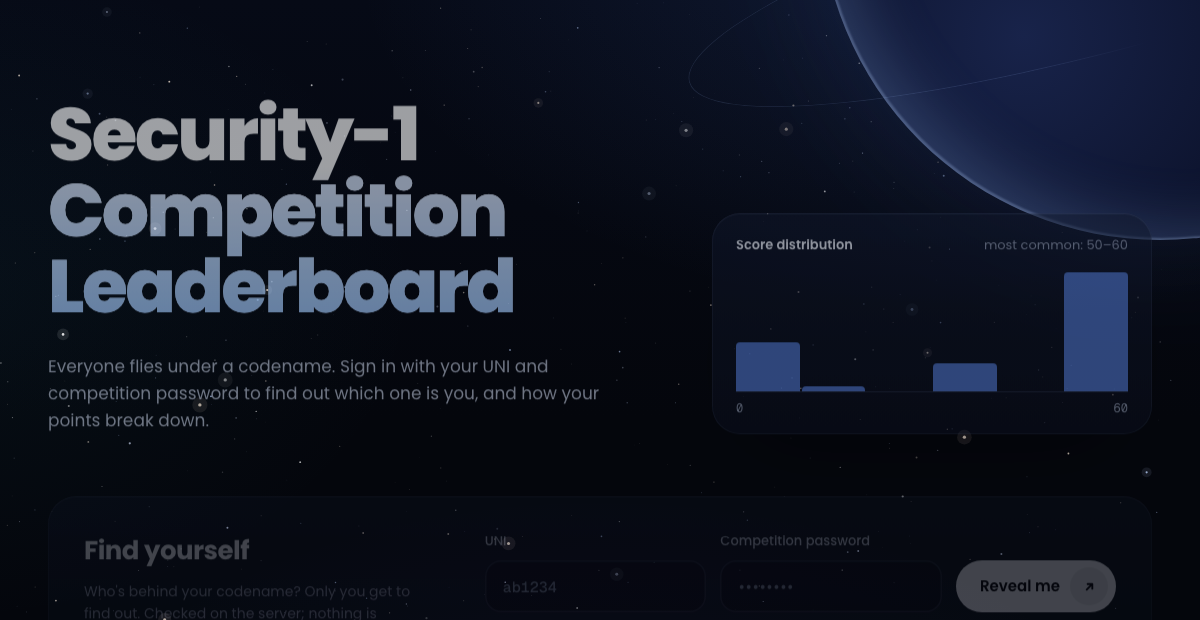
[ !] The competition leaderboard is live
Everyone on the board flies under a codename.
Sign in with your UNI and competition password to see which codename is yours. You can also see how your points break down. Only you learn your codename. Nothing is stored in your browser.
security1-leaderboard.netlify.app ↗
The leaderboard is live. Everyone appears under a codename, so nobody is publicly shamed; sign in with your UNI and your competition password to find out which codename is you and how your points break down. The check happens on the server and nothing is kept in your browser. Click the link or the screenshot to open it.
[ ↶] Recap · Locking without sharing a key first
BOB MAKES A MATCHED PAIR, PUBLISHES ONE HALF, KEEPS THE OTHER KeyGen PK public: hand to anyone SK secret: Bob only ALICE BOB message lock · PK c open wire unlock · SK message sees c sees PK She has PK and c, yet she can lock, never unlock. No secret shared first.
The public key is an open padlock Bob gives away. Anyone can snap it shut; only his private key opens it.
The core move: split the key in two. Bob generates a matched pair, publishes the public key, keeps the private key. Anyone can encrypt to Bob with the public key; only Bob decrypts, and no shared secret is arranged in advance. The padlock analogy carries the slide: the public key is an open lock Bob hands out, snapping it shut is encryption, and only his key opens it. Mallory, on the wire, has both the public key and the ciphertext, shown by the dashed links, yet neither lets her open the box. The one hard part left, flagged now and solved later with certificates, is making sure the padlock you grabbed is really Bobs.
[ ↶] Recap · Use 1: send ZZ a private messagePK = ZZ’s public key (everyone has it) · SK = ZZ’s private key (ZZ only).
SETUP, ONCE: ZZ PUBLISHES THE PUBLIC KEY
ZZ
KeyGen
PK
SK
post it on the course page
every student has PK
ZZ keeps SK and never sends it anywhere
a student Encrypt · PK c wire Decrypt · SK ZZ reads
Can AES do this? Yes, but every student would need a key shared with ZZ in advance . 300 students, 300 secret keys to set up. Public key needs none.
Use one, framed for the room: a student wants to send ZZ something private. The student encrypts with the ZZ public key, and only ZZ, holding the private key, can read it, with no prior contact. Then the honest comparison with what they already know: AES could also do this, but it needs a key shared ahead of time between ZZ and each student, so a 300-person class means 300 pre-arranged secrets. Public key removes that setup entirely, which is the whole point.
[ ↶] Recap · Use 2: ZZ posts a signed announcementZZ signs with the private key; every student checks with ZZ’s public key.
SETUP, ONCE: ZZ PUBLISHES THE PUBLIC KEY
ZZ
KeyGen
PK
SK
post it on the course page
every student has PK
ZZ keeps SK and never sends it anywhere
ZZ Sign · SK m, s wire Verify · PK ✓ really ZZ
Can AES do this? No, a MAC needs a shared key, so any student who can verify could also forge it, and could never prove to others it was ZZ. Signatures give public, non-repudiable proof.
Use two, same cast: ZZ posts an announcement and every student must be sure it is really from ZZ and unchanged. ZZ signs with the private key; anyone verifies with the public key. This is the place to draw the sharp line against symmetric crypto: a MAC would need a key shared between ZZ and the students, and anyone holding that key to check the tag could just as easily forge it, and could never convince a third party. A signature is publicly verifiable and non-repudiable precisely because only the private key can produce it. Certificates and software signing live here.
[ ↶] Recap · Use 3: a student and ZZ agree on a keyThey never met, yet end up with the same secret k.
SETUP, ONCE: ZZ PUBLISHES THE PUBLIC KEY
ZZ
KeyGen
PK
SK
post it on the course page
every student has PK
ZZ keeps SK and never sends it anywhere
1 · THE STUDENT PICKS A KEY AND SENDS IT LOCKED
a student
random k
Encrypt · PK
c
open wire
Decrypt · SK
ZZ has k
Eve sees c, never k
2 · BOTH SIDES NOW SHARE k: SWITCH TO FAST AES
student · k
AES-CTR(k): the real data
ZZ · k
Can AES alone do this? No: it needs a secret already shared. Public key is 100 to 1000× slower , so it only sets up k. TLS, SSH and PGP all start this way.
This is how a network uses public-key crypto, and today we watch TLS do it with chase.com.
Use three, the most common by far, now step by step. The setup on top is the same as before: ZZ has posted the public key, and every student has it. First, the student picks a fresh random AES key k, encrypts it with the ZZ public key, and sends the ciphertext c over the open wire. Eve sees c, but only the private key opens it, so only ZZ learns k. Now both sides hold the same k, without ever having met, and they switch to AES in counter mode with k for the real traffic, in both directions. In practice they would also add a MAC, Encrypt-then-MAC, or use one authenticated mode such as AES-GCM, which is CTR plus a built-in MAC. Why not use public key for everything? It is hundreds to a thousand times slower, so it only sets up the key and AES does the work. This simple version, key transport, is how TLS 1.2 with RSA worked. Modern TLS uses Diffie-Hellman instead, which we will see later; same idea, shared key from public values.
[ ↶] Recap · RSA: build the key pair
p = 61
q = 53
two random primes
secret
multiply
n = p·q 3233
public
factor n back? no fast method known
φ(n) = (p−1)(q−1) 60·52 = 3120
secret
Fact 1: easy only if you know p and q
pick e 17
public
e shares no factor with φ. Why?
solve e·d ≡ 1 (mod φ) d = 2753
secret
check: 17·2753 = 15·3120 + 1
public key (17, 3233)
private key 2753
then throw away p, q, φ
? Why must e share no factor with φ?
Otherwise no d exists. e = 2: 2·d is even, never ≡ 1 (mod 3120) .
RSA as a key factory, on the classic tiny example so every number is checkable. Blue means public, black means secret. Start with two random primes, 61 and 53; in reality each is about 1000 digits. Multiply them: n = 3233, which goes into the public key. The red dashed arrow: going back from n to the two primes is factoring, and for real sizes no fast method is known; that is the security. Careful with the P versus NP question if it comes up: if P were equal to NP, factoring would be easy and RSA would fall, but the reverse is not known; factoring is not believed to be NP-complete, and a quantum computer running Shor's algorithm factors quickly. From the primes, compute phi of n with Fact 1: 60 times 52 is 3120, easy only if you know p and q. Pick e = 17, sharing no factor with phi; ask why before revealing. Then solve e times d equals 1 mod phi: d = 2753, check 17 times 2753 is 15 times 3120 plus 1. The answer to the why: if e shared a factor with phi, no d would exist; e = 2 makes 2d even, never 1 more than a multiple of 3120. Public key (17, 3233), private key 2753, and p, q, phi are thrown away. Real systems use e = 65537.
[ ↶] Recap · RSA symbols: what each letter means, and who may see it
PUBLIC – rides on the wire, anyone may hold it: n, e SECRET – never leaves the owner: p, q, φ, d
Symbol What it is Relation Who sees it
p, q the two prime factors chosen at random secret n the modulus n = p·q public φ(n) Euler totient of n φ(n) = (p−1)(q−1) secret e encryption exponent shares no factor with φ(n) public d decryption exponent e·d ≡ 1 (mod φ) secret (e, n) public key encrypt / verify public (d, n) private key decrypt / sign secret
Memory hook: the secret set is everything you need to build the key (p, q, φ ) plus the trapdoor d ; once d exists, p, q, φ are thrown away. Only n and e are ever published.
A one-slide cheat sheet so the letters stop blurring together. Split everything into two piles. Public, meaning it rides on the wire and anyone may hold it: the modulus n and the encryption exponent e. Secret, meaning it never leaves the owner: the two primes p and q, the totient phi, and the decryption exponent d. The table pairs each symbol with its meaning and the relation that defines it. The memory hook: the secret pile is exactly what you need to construct the key, p, q, phi, and the trapdoor d; after d is computed, p, q and phi are deleted, and only n and e are ever made public. If someone ever learns phi or p, they can recompute d and the key is dead.
[ ↶] Recap · The three scenarios, with our real numbers
ZZ's key: p = 61, q = 53, n = 3233, φ = 3120
public (e, n) = (17, 3233) private d = 2753
✉️ Use 1 a private message 65 → 6517 mod 3233 = 2790 → 27902753 mod 3233 = 65 ✓ Anyone can lock with e = 17. Only ZZ, holding d = 2753, can unlock it. c = me , m = cd (mod n) 📝 Use 2 a signed announcement 123 → 1232753 mod 3233 = 2746 → 274617 mod 3233 = 123 ✓ Only ZZ can sign with d = 2753. Anyone can check it with e = 17. s = md , m = se (mod n) 🤝 Use 3 agree on a key k = 65 → send 6517 mod 3233 = 2790 → ZZ: 27902753 mod 3233 = 65 Both sides now hold k = 65, so they switch to fast AES. This is today’s topic.
Today we see how a browser and a server agree on a key over the network, which is Use 3. TLS needs two of these. Use 2 lets the server prove it is really Chase. Use 3 , or its cousin Diffie-Hellman, gives both sides a shared key.
Same key as the RSA slide: p 61, q 53, so n is 3233 and phi is 3120; e is 17 and d is 2753. Now watch that one key do all three jobs. Use one, a private message: 65 to the 17 mod 3233 is 2790, and only ZZ, with 2753, turns it back into 65. Use two, a signature: ZZ raises 123, think of it as the hash of the announcement, to the 2753 and gets 2746; anyone raises 2746 to the public 17 and gets 123 back, so it really came from ZZ. Use three, key agreement: a student picks k equals 65, locks it as 2790, and ZZ unlocks it, so both now hold 65 and switch to AES. Keep two of these in mind for the rest of today: TLS uses signatures to prove the server's identity, and key agreement, either this RSA way or the Diffie-Hellman way, to get a shared key.
[ +] TLS is everywhere, and you use it all dayTLS gives two programs a private, authenticated channel over a network the attacker controls. Here are three places you used it this week.
The Web. The lock in the address bar means this page arrived over TLS.
Messaging. WhatsApp’s site and WhatsApp Web reach its servers over TLS.
https://platform.openai.com APIs. Your secret API key rides in every request. TLS keeps it off the wire.
Authorization: Bearer sk-proj-…
Email, VPNs, card payments, and software updates also run over TLS. If a connection is secure today, TLS is almost certainly underneath.
What TLS is, in one sentence: a private, authenticated channel between two programs over a network the attacker controls. Then three places you used it this week, one at a time. The Web: GitHub, and that padlock is TLS. Messaging: WhatsApp's site and WhatsApp Web talk to its servers over TLS; the app adds its own end-to-end encryption on top, which is a different layer. APIs: when your code calls the OpenAI API, your secret key sits in the Authorization header of every request, and the only thing stopping everyone on the path from reading it and billing your account is TLS. Then the rest: email between servers, VPNs, payments, updates.
[ 00 ]
The Internet,
Your messages cross the world through machines you do not control. For years, they did so in the clear.
Background first: how your data actually moves, what that meant when everything was plaintext, and why SSL had to be invented.
[ +] How does a message travel across the Internet?How does your message get from your laptop to Chase? 💻 you your laptop 🏦 chase.com the bank 📶 cafe Wi-Fi the router Cafe Wi-Fi The router in the cafe. Whoever runs it sees all your traffic before anyone else. 🏢 your ISP Comcast, etc. ISP = Internet Service Provider The company you pay for Internet, like Comcast, Verizon, or Columbia when you are on campus. 🌐 the backbone cables, routers Backbone Long-distance networks that link all the ISPs together: big routers and undersea cables. None of these machines belong to you or to Chase. Your message is handed from machine to machine, like a postcard passed through the mail. Build it up. First the two ends you care about: your laptop and Chase. How does a message get from one to the other? It goes through a chain of machines. First the cafe Wi-Fi router: whoever runs it sees your traffic first. Then your ISP, the Internet Service Provider, which is simply the company you pay for Internet access, Comcast, Verizon, or Columbia when you are on campus. Your ISP does not connect directly to Chase, so it hands the traffic to the backbone: the long-distance networks, big routers and undersea cables, run by large carriers, that tie all the ISPs together. Chase sits on its own ISP at the other end. None of those machines belong to you or to Chase. Your message is handed from one to the next, like a postcard going through the mail, and every hand that touches it can look at it.
[ x] Without TLS, your login is a postcard anyone can readSTAMP POSTCARD POST /login HTTP/1.1 Host: chase.com user=alice&pass=hunter2 Anyone holding this card can read every word. cafe Wi-Fi hunter2 your ISP hunter2 backbone hunter2 Every hop reads your password. Before TLS, web pages, email, and logins all traveled exactly like this.
Make it concrete. Without encryption, a login is literally this text on the wire: the request line, the host, and the form with your password in plain characters. It is a postcard. Then pass it through the hops from the last slide: the cafe Wi-Fi, your ISP, the backbone. Each of them can read hunter2 with no effort at all. For the first years of the Web, logins, email, everything traveled like this.
[ x] A machine in the middle can do three bad things👁️ Eavesdrop pass=hunter2 👁️ (read in passing) It reads your password as it passes by. ✏️ Tamper pay $10 → pay $9000 (changed in flight) It changes what you sent, and you never know. 🎭 Impersonate chase.com (a fake login page) It pretends to be Chase and collects your login. Three dangers, one at a time, and they map exactly onto what TLS must guarantee. Eavesdrop: read your password as it passes. Tamper: change pay ten dollars into pay nine thousand, and you never see it. Impersonate: answer as chase.com with a fake login page and collect your credentials. Read, change, pretend.
[ x] Story: a stranger at the coffee shop reads your account2010 · a coffee shop 💻 ☕ Alice 📶 cafe Wi-Fi Facebook 🎫 🎫 Bob 🎫 a copy 🎫 Welcome, Alice! A true story, told simply. In 2010, at any coffee shop, people used Facebook over the shared Wi-Fi, and after logging in, their laptop talked to Facebook in plain words that anyone on the same Wi-Fi could hear. A free app called Firesheep listened, and showed a list of everyone nearby who was logged in. One click on a name, and you were inside that person account. No skill needed. Soon after, Facebook and Twitter switched on encryption for every page.
[ x] Story: a swapped program turns visitors into attackers2015 · the Great Cannon 💻 💻 💻 visitors the network a website 📜 helper program 📜 ✗ 💣 swapped on the way GitHub 💥 flooded for days A true story about tampering, told simply. In 2015, people all over the world visited a popular Chinese website. The page asked their browsers to load a small helper program, sent without any protection. On its way through China network, someone swapped that helper for a different program. The new program made each visitor browser keep hitting GitHub, so millions of innocent browsers became an army and GitHub struggled for days. Nobody read anything secret; the program was simply changed on the way.
[ x] Story: the free airport Wi-Fi that was not the airport’sthe airport · a common trick 💻 you 📶 “Free Airport WiFi” a stranger’s laptop chase.com CHASE FAKE 🔑 real Chase passes you on, nothing looks wrong The third danger as something that could happen to you next month. Anyone laptop can create a Wi-Fi network with any name, so Free Airport WiFi may be a stranger, not the airport. You join, open chase.com, and the stranger shows you a page that looks exactly like Chase. You type your password; the stranger keeps it and passes you on to the real Chase, so you never notice. What was missing is a way for your browser to check who really answered.
[ +] Why TLS was invented: you cannot shop with postcards1994: a postcard card no. 4111 1111 1111 1111 Shopping on the Web means sending this in the clear. Netscape invents SSL to make online shopping safe ✉️ 🔒 a sealed, signed envelope Nobody can read it, change it, or fake who sent it. Why did this get fixed? The Web took off in the early nineties and people wanted to buy things, which means typing a credit card number. On the plaintext Web that number travels like a postcard. Netscape, in 1994, invented SSL to put that postcard inside a sealed, signed envelope: nobody on the path can read it, change it, or fake who sent it. TLS is the same idea, renamed and improved.
[ 01 ]
What TLS
Who is the enemy, what can it do, and what exactly must TLS guarantee?
Pin down the threat model and the guarantees before any mechanism.
[ x] The threat model: the attacker owns the network💻 you The attacker controls every machine in between. cafe Wi-Fi, DNS, routers, ISP chase.com WHAT IT CAN DO 👁️ It can read every packet you send and receive. ✏️ It can change any packet while it is in flight. ❌ It can drop packets or inject packets of its own. 🌐 It can answer your DNS lookups with any address. WHAT IT WANTS 🔑 It wants your password and your session cookie. 💳 It wants to change where your money goes. 🎭 It wants to pass itself off as chase.com. 🤫 And it wants all of this to go unnoticed. WHAT IT CANNOT DO 🧮 It cannot break good crypto, like AES or a 2048-bit n. 🏦 It cannot steal Chase’s private key from its servers. 💻 It cannot run code on your laptop or in your browser. ℹ️ These are assumptions. If one fails, TLS cannot save you. So the attacker cannot break the math. It wins only if the protocol around the math is weak. The threat model, one line at a time. Setup: the attacker controls every machine between you and Chase. What it can do: read every packet, change packets in flight, drop or inject packets, and answer your DNS lookups with any address it likes. What it wants: your password and session cookie, to redirect your money, to pass itself off as Chase, and to do all of it without you noticing. Just as important, what it cannot do. It cannot break good cryptography: it cannot invert AES without the key, and it cannot factor a 2048-bit RSA modulus. It cannot reach into Chase servers and steal the private key, and it cannot run code on your laptop. These are assumptions; if one fails, for example malware on your laptop, TLS cannot help you. So the attacker cannot break the math directly. Every attack we see today wins through a weakness in the protocol or the system around the math.
[ +] TLS answers each danger with one guaranteeConfidentiality It stops eavesdropping. The eavesdropper sees only 9f3a2c 7b1e… and never your password. Integrity It stops tampering. If one byte changes, ✗ rejected the message is thrown away. Authentication It stops impersonation. You can check that it is the real chase.com and not a look-alike. The first two come from the encryption you already know. The third, knowing who is really on the other end, is the hard part, and most of this lecture is about it.
Each danger gets one guarantee. Confidentiality: the eavesdropper sees scrambled bytes, never your password. Integrity: change one byte and the message is rejected. Authentication: you can check that it is really chase.com. The first two are last lecture, authenticated encryption. The third is the hard one, and it is where most of this lecture lives.
[ +] TLS is two steps: meet carefully once, then talk fastTLS 🤝 1. Handshake This is done once, with public-key crypto. “Check each other’s ID, then agree on a secret code.” Why only once? Public-key crypto is powerful but slow. the shared secret code 🔒 2. Record layer This runs on every byte, with symmetric crypto. “Now talk in that code for the whole conversation.” Why switch? Symmetric crypto moves gigabytes per second. An analogy for the structure. Meeting a stranger for private business, you first check each other ID and quietly agree on a secret code. That is careful and slow, so you do it once: the handshake, with public-key crypto. Then you just talk in the code for the rest of the meeting: the record layer, symmetric crypto at gigabytes per second. Two steps because the two jobs need two different tools. Today is mostly about step one.
[ 02 ]
25 years of
Every version exists because the one before it broke.
A short history, because it explains why TLS 1.3 looks the way it does. Each version, what broke, and how it connects to things you already know.
[ +] The whole story on one lineSSL 1.0 1994 never shipped SSL 2.0 1995 broken SSL 3.0 1996 POODLE TLS 1.0 1999 BEAST TLS 1.1 2006 retired TLS 1.2 2008 FREAK, Logjam TLS 1.3 2018 current Six of these seven versions were broken or abandoned. The next pages walk through what happened to each one.
The whole history on one line, built version by version. SSL 1.0 never shipped. SSL 2.0 shipped and broke. SSL 3.0 lasted almost twenty years until POODLE. TLS 1.0 fell to BEAST. TLS 1.1 is retired. TLS 1.2 is still widely used but was hit by FREAK and Logjam through old options it still allowed. TLS 1.3 is current. The next pages take them one at a time.
[ x] SSL 1.0 (1994): encryption without integritySSL 1.0 1994 SSL 2.0 1995 SSL 3.0 1996 TLS 1.0 1999 TLS 1.1 2006 TLS 1.2 2008 TLS 1.3 2018 ROOT CAUSE a stream cipher (RC4) with a plain checksum instead of a MAC: anyone can flip bits. pay Bob $100 RC4 stream cipher d4 7e … 08 c4 + CRC checksum RC4 is a stream cipher: a one-time pad whose pad is generated from a short key. Next to it, only a CRC checksum, not a MAC. flip one byte: 1 → 9 recompute the CRC: no key needed the bank sees pay Bob $900 Flipping a ciphertext bit flips the same plaintext bit, and a CRC is not a secret, so the attacker can fix it. 📨 📨 It also had no sequence numbers, so an old message could be sent again, and it was accepted. ↶ Crypto lecture: the one-time pad slide “Can Mallory turn $100 into $900?” Encryption alone never gives integrity. RC4 may be new to you: it is a stream cipher designed by Ron Rivest in 1987. Think of it as a one-time pad whose pad is generated from a short key, exactly like CTR mode, which we did build. It was the most used cipher on the web for years, until it was banned from TLS in 2015. SSL 1.0 never shipped, and the reason is something you already know. It encrypted with RC4, a stream cipher: the ciphertext is the plaintext XOR a keystream, exactly like the one-time pad. For integrity it used a CRC checksum, not a MAC. Remember the one-time pad slide: flip a bit of the ciphertext and the same bit of the plaintext flips, so 100 dollars becomes 900. The CRC does not stop this because it has no key: the attacker just recomputes it. On top of that, there were no sequence numbers, so an old message could be replayed. Netscape reviewers caught this and SSL 1.0 was scrapped before release.
[ x] SSL 2.0 (1995): the keys were too shortSSL 1.0 1994 SSL 2.0 1995 SSL 3.0 1996 TLS 1.0 1999 TLS 1.1 2006 TLS 1.2 2008 TLS 1.3 2018 ROOT CAUSE keys too short: 56-bit DES, and 40-bit “export” versions of RC4 and DES. SSL 2.0 used RC4 and DES. AES did not exist until 2001. 🔨 Short keys 2⁴⁰ keys: done in days Export rules capped keys at 40 bits. DES already died at 56 bits, and 40 bits is 65,536 times easier. ↶ Crypto: DES, a key too short 🔧 A homemade MAC MD5(secret ‖ msg) This is our “first attempt” MAC. Anyone could extend a tag without knowing the key. ↶ Crypto: MAC = H(K ‖ m) 📋 An unprotected menu TLS strong ✗ 40-bit export ✓ Nobody checked the cipher list, so the attacker could delete the strong options. → Handshake goal 3, later today Three broken pieces, so Netscape redesigned the protocol within a year. SSL 2.0 shipped in 1995 with RC4 and DES; AES did not exist until 2001. The root cause is short keys. DES has a 56-bit key, which we saw die to brute force. Worse, US export rules forced 40-bit versions of RC4 and DES, 65 thousand times easier than DES, breakable in days. Two more problems made it worse: a homemade MAC, MD5 of secret and message, which is our broken first-attempt MAC, and an unprotected list of ciphers, so an attacker could delete the strong ones and force the 40-bit option.
[ x] SSL 3.0 (1996): the padding was never checkedSSL 1.0 1994 SSL 2.0 1995 SSL 3.0 1996 TLS 1.0 1999 TLS 1.1 2006 TLS 1.2 2008 TLS 1.3 2018 ROOT CAUSE the MAC did not cover the padding, so the server’s yes/no answer leaks data. your data MAC padding the MAC covers only these never checked An SSL 3.0 record, encrypted with CBC tweaked record server decrypts ✓ accept ✗ reject one yes/no answer The server’s yes or no tells the attacker whether the padding looked right: a padding oracle. ↶ Remember CTF #2? Tweak one byte → ask the server “valid padding?” → 256 tries reveal one secret byte. SSL 3.0 lasted almost twenty years. Its root cause: the MAC protected the data but not the padding, and the padding was never checked. So an attacker can tweak the end of a record and watch whether the server accepts or rejects it. That single yes or no is a padding oracle, and you already exploited one in CTF two: tweak a byte, ask is the padding valid, and after at most 256 tries you know one byte of the secret. POODLE, in 2014, did exactly this to read secrets out of browsers, and SSL 3.0 was switched off for good.
[ x] TLS 1.0 (1999): the next IV was already publicSSL 1.0 1994 SSL 2.0 1995 SSL 3.0 1996 TLS 1.0 1999 TLS 1.1 2006 TLS 1.2 2008 TLS 1.3 2018 ROOT CAUSE the next IV is predictable: it is a block the attacker has already seen. record 1, already sent C1 C2 C3 reused as record 2 IV = C3 ? ? TLS 1.0 used the last block of one record as the IV of the next. C3 already crossed the wire, so the attacker knows the next IV before your browser encrypts anything. 🔑 Like a lock whose next combination is printed on the last receipt: the attacker can test guesses about what you sent, one at a time. ↶ Remember CTF #5? You knew the next IV → sent G ⊕ IV_old ⊕ IV_next → a matching output confirms guess G. TLS 1.0, root cause: a predictable IV. Each record used the last ciphertext block of the previous record as its IV. But that block already crossed the wire, so the attacker knows the next IV before your browser encrypts anything. Think of a lock whose next combination is printed on the last receipt. With it, the attacker can test guesses about what you sent, one guess at a time. That is exactly the CTF five server: you knew the next IV, and you sent your guess XOR the old IV XOR the next IV, so the two IVs cancel and the output matches only if your guess is right. BEAST, in 2011, used this to guess browser secrets byte by byte.
[ x] TLS 1.1 and 1.2: good fixes, dragged down by old optionsSSL 1.0 1994 SSL 2.0 1995 SSL 3.0 1996 TLS 1.0 1999 TLS 1.1 2006 TLS 1.2 2008 TLS 1.3 2018 ROOT CAUSE backward compatibility: servers kept 1990s export crypto on, for old clients. TLS 1.1: a fresh random IV for every record. BEAST stops. TLS 1.2: AES-GCM, encryption plus MAC. POODLE stops. But many servers still accepted 1990s “export” RSA, with a tiny 512-bit n, just in case. forces export RSA server sends 512-bit n factor n: about 7 hours on rented cloud This attack, FREAK (2015), cost about $100. Logjam did the same to 512-bit Diffie-Hellman. factor n → p, q p, q → φ φ → d d → read m ↶ Crypto lecture: “Why RSA is secure” and CTF #6, where you were handed p and q and read m. TLS 1.1 fixed BEAST with a fresh random IV per record, and TLS 1.2 added AES-GCM, encryption and MAC in one step, which ends padding oracles. The protocol was finally good. The problem was compatibility. Many servers still accepted export RSA from the nineties, with a 512-bit modulus, just in case. FREAK, in 2015, tricked connections into that option, and then the attacker simply factored n: about seven hours and a hundred dollars of rented cloud machines. Remember the chain from why RSA is secure: factor n, get p and q, get phi, get d, read the message. In CTF six you were handed p and q and did the rest by hand. FREAK just did the factoring step for real. Logjam did the same to 512-bit Diffie-Hellman.
[ x] The pattern: every version broke, and compatibility kept the broken ones aliveSSL 1.0 1994 SSL 2.0 1995 SSL 3.0 1996 TLS 1.0 1999 TLS 1.1 2006 TLS 1.2 2008 TLS 1.3 2018 1. A new version ships. 2. Someone breaks it. 3. A newer version fixes it. 4. Old clients keep it alive. The attacker forces the old version: a downgrade. TLS 1.3 finally gives up the heavy history. The broken options are deleted, so there is nothing to fall back to. Step back and the pattern is a loop. A version ships; someone breaks it; a newer version fixes it. But the world does not upgrade overnight, so servers keep speaking the old version for old clients. And that is the opening: an attacker forces both sides back onto the broken version, a downgrade. SSL 2.0 cipher stripping, POODLE fallback, FREAK and Logjam are all this loop. TLS 1.3 breaks it: the designers made the hard decision to give up the heavy history and delete the weak options instead of keeping them around. Old clients that cannot speak 1.3 still use 1.2, but 1.3 itself carries none of the old baggage.
[ 03 ]
The handshake
Two strangers on a hostile network have one round trip to trust each other and agree on a key.
Now the core of TLS. We go top-down: first what the handshake must achieve, then the round trip at a high level, then why the old version was worse, and only then each message in detail, including where the AES key comes from.
[ ?] What is the handshake for?💻 you browser 🏦 chase.com server You have never met, and every message passes through the attacker. Who are you, really? Goal 1: authenticate Which key do we share? Goal 2: agree on a key Did anyone change our deal? Goal 3: negotiate safely The handshake answers all three questions before any of your data is sent. Top-down. Before we look at a single message, what must the handshake achieve? You and Chase have never met, and the attacker from our threat model sits in the middle. Before your password goes anywhere, three questions need answers. Who are you, really: authentication. Which key do we share: key agreement. Did anyone change what we agreed on: safe negotiation. One page on each.
[ ?] Goal 1: are you really chase.com?You type chase.com and expect to reach the bank. 💻 you chase.com the real bank redirected blocked chase.com CHASE Sign in username password Sign in FAKE The attacker sends you to its own copy of the Chase login page. It looks exactly right. Even over an encrypted connection, your password now goes to the attacker. So the client must first check that it is really talking to chase.com. Goal one, authentication. You type chase.com and expect the bank. But the attacker controls the network, including DNS, so it intercepts the request and redirects you to its own copy of the Chase login page, which looks exactly right. Now notice: you could run perfect encryption with this fake site and it would not help at all, because the party at the other end of the encrypted connection is the attacker. Your password arrives safely, at the wrong place. So step one is to check who is on the other end.
[ ?] Goal 2: how do two strangers agree on a secret key?💻 you key = ? chase.com key = ? AES needs the same secret key on both sides. Sending the key directly hands a copy to the attacker. Instead, both sides build the same key from public pieces, and the attacker, who sees every piece, still cannot build it. → How? We build it with real numbers later in this section. Goal two, a shared key. Everything after the handshake is AES, and AES needs the same key at both ends. These two have never met. If I just send the key across, the attacker copies it on the way. We need a way for two parties to build the same key out of pieces sent in public, where the attacker sees every piece and still cannot build it. That is use three from the recap, and we will see exactly how it works later today.
[ ?] Background: every client and server supports different optionsAn option is a protocol version plus a cipher suite, the set of algorithms to use. TLS 1.3 · AES_256_GCM · SHA384 version encryption hash chase.com supports TLS 1.3 · AES-256-GCM TLS 1.2 · AES-128-GCM TLS 1.0 · AES-CBC 💻 Chrome, 2026 speaks TLS 1.3, TLS 1.2 agree on TLS 1.3 📱 an Android phone, 2014 speaks TLS 1.2 only agree on TLS 1.2 🏧 an old card reader speaks TLS 1.0 only agree on TLS 1.0 Every connection begins by finding the best option that both sides share. Some background before goal three. TLS is not one fixed recipe. Each connection uses an option: a protocol version plus a cipher suite, which is the set of algorithms, here AES-256 in GCM mode with SHA-384. Every client and every server supports its own list. Chase supports several, because its customers are not all on new laptops. A new Chrome speaks TLS 1.3, so they use 1.3. An Android phone from 2014 only speaks 1.2, so they settle on 1.2. An old card reader in a store might only speak 1.0. So every connection begins with a negotiation: find the best option both sides share. That negotiation is exactly what the attacker goes after on the next slide.
[ ?] Goal 3: did anyone change what we agreed on?What I can speak TLS 1.3, AES-256 TLS 1.2, AES-128 TLS 1.0, 40-bit chase.com also speaks all three Both sides should pick the strongest option they share. The attacker deletes the strong options. Chase sees only TLS 1.0, 40-bit. Chase picks the weak option, and neither side notices. So at the end, both sides must check that they saw exactly the same messages. Goal three, safe negotiation. Your browser and Chase each speak several versions and ciphers, and they should settle on the strongest one they share. The list of options travels over the network, though, and the attacker can delete the strong ones, exactly the SSL 2.0 attack from the history. Chase then sees only the weak option and picks it, and nobody notices. So the handshake must end with both sides confirming they saw exactly the same messages.
[ +] The whole handshake, one message at a timeyou chase.com 🎲 secret a → makes A ① ClientHello, you → chase.com 📋 Here is what I support. 🔑 My key half A. 🎲 secret b → makes B ? mystery box A, B → AES key ② chase.com → you ✅ This is what we will use. 🔑 My key half B. encrypted with the new AES key 📄 Certificate ✍️ CertificateVerify 🧾 Finished ? mystery box A, B → AES key Now both sides hold the same AES key, and it never crossed the wire. ③ you → chase.com, encrypted 🧾 Finished: my summary matches yours. Your password and pages, encrypted with the AES key. 1 round trip ✍️ signed, not encrypted Before anything is sent, each side picks a fresh random secret, a for you and b for Chase, and turns it into a public key half, A and B. The whole handshake is really three flights. Flight one, ClientHello: here is what I support, and my key half, A. Chase gets it, and now it has both halves, its own B and your A. It runs what I will call a mystery box that turns the halves into an AES key; we open the box later today. Flight two comes back: this is what we will use, and my key half B, both in the clear. Then, already encrypted with the new key: the Certificate, CertificateVerify and Finished. When flight two arrives you run the same mystery box on A and B and get the same AES key, which never crossed the wire. Flight three: your own Finished, encrypted. And your data can go right behind it. Flights one and two are one round trip. One more thing worth pausing on: flight one and the first half of flight two are not encrypted, so what stops the attacker from swapping A or B for its own? Public-key crypto, but as a signature, not as encryption. CertificateVerify is Chase signing a fingerprint of every message so far, A and B included, with its private key. If anything was swapped, the fingerprint the client computes differs, and the signature check fails. Finished then double-checks everything with an HMAC. So public-key crypto is used only for the key halves and the signature; everything else, including your data, is protected by the AES key.
[ ?] Why is the clear part signed instead of encrypted?Q: Encrypt them with the AES key? A, B ? box AES key ✗ The key is made from A and B. Q: Encrypt with Chase’s RSA key? flight ① flight ②: certificate ✗ The certificate arrives only in flight ②. Q: So A and B travel in public. Is that a problem? A = 8 B = 19 → still needs a or b ✓ No. Seeing A and B does not reveal the key. (the key slide shows why, with these numbers) What must be protected is that A and B arrive unchanged: you sent A Chase got A* Chase signs a fingerprint with A* you check with A: ✗ hang up Why are the hellos signed rather than encrypted? Try to encrypt them. With the AES key? It is made from A and B, so it does not exist yet. With Chase RSA public key? The certificate that carries it only arrives in flight two, and locking secrets with RSA is how the old TLS 1.2 worked, which we will see has its own problems. So A and B travel in public. Is that a problem? No, and this is the beautiful part of Diffie-Hellman: seeing A equals 8 and B equals 19 does not give you the key; you still need a or b, which never leave the two machines. The key slide shows this with exactly these numbers. What does need protecting is that A and B arrive unchanged. If the attacker swaps A for its own A star, Chase builds its fingerprint with A star and signs it; you check against your fingerprint with the real A, it fails, and you hang up. Integrity, not secrecy, is what was missing, and a signature provides it.
[ +] ClientHello: hello, here is what I support→ ClientHello ← ServerHello 🔑 the key ← Certificate ← CertificateVerify ⇄ Finished 🔓 Not encrypted: anyone on the path can read it. 🧾 Tampering is caught later by Finished.
ClientHello 🌐 server name www.chase.com One server can host many sites, so this says which site you want. 📋 what I support TLS 1.3 · AES-256-GCM, AES-128-GCM, ChaCha20 This is the menu. The strongest choices come first. 🎲 random 32 fresh random bytes This makes every handshake unique, so an old one cannot be replayed. 🔑 my key half: a one-time public key A (made from my secret a), for x25519 This is your public piece of the key. We look at it after ServerHello. Now each message. ClientHello carries four things. The server name, because one machine may host many sites. The menu: versions and cipher suites, strongest first. Fresh random bytes so no two handshakes are alike and nothing can be replayed. And your half of the key: a public number. Hold that thought; two slides from now we see how two halves become one key.
[ +] ServerHello: this is what we will use→ ClientHello ← ServerHello 🔑 the key ← Certificate ← CertificateVerify ⇄ Finished 🔓 Not encrypted: anyone on the path can read it. 🧾 Tampering is caught later by Finished.
ServerHello ✅ chosen TLS 1.3 · TLS_AES_256_GCM_SHA384 Chase picks one option from your menu. 🎲 random 32 fresh random bytes The server adds its own randomness. 🔑 my key half: a one-time public key B (made from Chase’s secret b) This is Chase’s public piece. It is used once, then thrown away. 📄 Chase’s long-term public key next, inside the Certificate The RSA public key that proves who Chase is comes right after, encrypted. $ openssl s_client -connect www.chase.com:443
New, TLSv1.3 , Cipher is TLS_AES_256_GCM_SHA384
Server Temp Key: X25519, 253 bits # Chase’s half of the key
ServerHello is the answer. Chase picks one option from your menu, adds its own random bytes, and sends its key half B, which is itself a one-time public key: Chase made it from a fresh secret b and will throw b away after this connection. Do not confuse it with Chase long-term public key, the RSA key that proves who Chase is. That one comes right behind, inside the Certificate, already encrypted. That terminal is real: I ran openssl against chase.com this week. It negotiated TLS 1.3 with AES-256-GCM and SHA-384, and the server key share is X25519, a 253-bit elliptic-curve Diffie-Hellman value. Now both halves are on the table.
[ ?] Detour: how can two strangers agree on a secret in public?DETOUR · OUTSIDE TLS
👩 Alice 👨 Bob Eve hears every word. Alice and Bob have never met, and everything they say is public. Can they still end up with a secret number that Eve cannot compute? Yes. Whitfield Diffie and Martin Hellman showed how in 1976. We leave TLS for a few slides to see how, then come back. Let me step out of TLS for a few slides, because the key halves A and B only make sense once you see this trick on its own. Forget browsers. Alice and Bob have never met. Everything they say travels in public, and Eve hears all of it. Can they still end up with a number that both of them know and Eve cannot compute? It sounds impossible, and for a long time people assumed it was. In 1976 Diffie and Hellman showed how. We will see the protocol, an example with numbers, and then come back to Chase.
[ +] Diffie-Hellman, precisely: the protocol and the proofDETOUR · OUTSIDE TLS
PUBLIC SETUP A large prime p and a base g. Everyone knows them. toy: p = 23, g = 5 ALICE picks a random secret a sends A = ga mod p BOB picks a random secret b sends B = gb mod p computes K = Ba mod p computes K = Ab mod p WHY BOTH GET THE SAME K Ba ≡ (g b ) a ≡ g ab ≡ (g a ) b ≡ A b (mod p) (5¹⁵)⁶ = (5⁶)¹⁵ = 5⁹⁰ ≡ 2 WHY EVE CANNOT Eve knows p, g, A and B. To get K she must find a from A = gᵃ mod p. This is the discrete logarithm problem: no fast method is known for a 2048-bit p. WHY ALICE AND BOB ARE FAST g15 = g 8 ·g 4 ·g 2 ·g 3 squarings and 3 multiplications, not 14. A 2048-bit a needs about 3,000. Now the math, the way we wrote RSA. Public setup: a large prime p and a base g. Alice picks a random secret a and sends A equals g to the a mod p. Bob picks b and sends B equals g to the b mod p. Alice computes K as B to the a, Bob as A to the b. Why equal? B to the a is g to the b, to the a, which is g to the ab, and the same chain from the other side gives A to the b. Taking remainders mod p at any point does not change the final remainder, which is why the exponent rules survive. With our toy numbers, 5 to the 15 then 6 and 5 to the 6 then 15 are both 5 to the 90, which is 2 mod 23. Why can Eve not do it? She knows p, g, A and B; to get K she needs a, which means solving g to the a equals A mod p for a. That is the discrete logarithm problem, and for a 2048-bit p nobody knows a fast method. And why is it fast for Alice and Bob? Square and multiply, the same trick as RSA: g to the 15 is g to the 8 times g to the 4 times g squared times g, three squarings and three multiplications instead of fourteen. Even a 2048-bit exponent needs only a few thousand multiplications.
[ +] The same exchange with numbersDETOUR · OUTSIDE TLS
In public: p = 23 and g = 5. Everyone, Eve included, knows them. Alice Bob secret a = 6 secret b = 15 Each picks a secret and never sends it. A = 56 mod 23 = 8 B = 515 mod 23 = 19 A = 8 B = 19 196 mod 23 = 2 815 mod 23 = 2 shared secret shared secret Both get 2 = 590 mod 23. Eve sees 23, 5, 8 and 19. She needs 6 or 15 to get 2. Now with numbers. The public setup is two numbers, p equals 23 and g equals 5. Alice picks a secret 6, Bob picks 15. Mixing is raising g to your secret, mod p: Alice sends 5 to the 6th mod 23, which is 8; Bob sends 5 to the 15th mod 23, which is 19. Then each raises what it received to its own secret: 19 to the 6th is 2, and 8 to the 15th is 2. Same number, because both are 5 to the 90. Eve saw 23, 5, 8 and 19. To get 2 she needs 6 or 15, which is the discrete logarithm, easy at this size and hopeless at real sizes.
[ +] Back to TLS: Diffie-Hellman lives inside the hellos→ ClientHello ← ServerHello 🔑 the key ← Certificate ← CertificateVerify ⇄ Finished you (Alice) chase.com (Bob) secret a ClientHello carries A = gᵃ secret b ServerHello carries B = gᵇ Ba = g ab Ab = g ab ? mystery box The shared secret is the input to the mystery box, which we open next. Neither side needed the other’s key first, so A rides in the very first message: one round trip. Real TLS uses X25519: the same idea, with elliptic-curve math and 253-bit numbers. Back to Chase. You are Alice and Chase is Bob. Your key half A rides in ClientHello, Chase key half B rides in ServerHello; Your secret a and Chase secret b never leave the machines. You compute B to the a, Chase computes A to the b, and both get g to the ab, the shared secret, which goes into the mystery box we open next. And notice why this fits in one round trip: you made A before hearing anything from Chase. Real TLS uses X25519, the same idea on an elliptic curve with 253-bit numbers.
[ ?] Which g and p? TLS 1.3 allows only a short, fixed list→ ClientHello ← ServerHello 🔑 the key ← Certificate ← CertificateVerify ⇄ Finished FINITE FIELD: THE g AND p FROM OUR SLIDES g = 2 for all of them; p is one fixed prime per size. ffdhe2048 ffdhe3072 ffdhe4096 ffdhe6144 ffdhe8192 p of ffdhe2048, in hex (RFC 7919): FFFFFFFF FFFFFFFF ADF85458 A2BB4A9A … FFFFFFFF ELLIPTIC CURVES: SAME IDEA, DIFFERENT MATH Each name fixes one curve and one starting point. x25519 x448 secp256r1 secp384r1 secp521r1 x25519 is what most connections use today. Browsers now also offer X25519MLKEM768, a post-quantum hybrid. you → chase.com ClientHello: supported_groups = x25519, secp256r1, ffdhe2048 key_share = x25519: A you guess Chase’s favorite chase.com → you ServerHello: key_share = x25519: B Chase picks from your list The key point: there are only a few groups, and ClientHello simply names them. Yes: in TLS 1.3, g and p are never invented per connection and never sent. The standard allows only a short fixed list of named groups. Five are exactly our setting, finite-field Diffie-Hellman: ffdhe2048 up to ffdhe8192, all with g equals 2 and one specific prime per size, published in RFC 7919; here are the first and last hex digits of the 2048-bit one. The other five use elliptic curves, the same idea with different math: x25519, x448, and the three NIST curves. In practice almost everything today uses x25519, and browsers now also offer X25519MLKEM768, a hybrid that adds protection against future quantum computers. In ClientHello your browser lists the names it supports and, to keep one round trip, already sends A for its best guess. Chase picks from the list and answers with B. A wrong guess costs a HelloRetryRequest and one extra round trip. When I connected to chase.com, it picked x25519.
[ +] Opening the mystery box: from the shared secret to AES keys→ ClientHello ← ServerHello 🔑 the key ← Certificate ← CertificateVerify ⇄ Finished 🏠 Computed on each side. These values are never sent.
INPUTS OUTPUTS 1 the shared secret gᵃᵇ from Diffie-Hellman, known only to you two 2 a fingerprint of the hellos SHA-384(ClientHello, ServerHello) 3 a label naming the output “client key”, “client iv”, ... HKDF HMAC as a blender you → Chase: key 32 bytes, AES-256 you → Chase: IV 12 bytes Chase → you: key 32 bytes, AES-256 Chase → you: IV 12 bytes one HKDF run per label How this protects integrity: Nothing changed on the way: both fingerprints match, so both sides get the same keys, and Certificate decrypts. ✓ The attacker changed A or the menu: the fingerprints differ, so the keys differ, and the first encrypted message fails. ✗ After Finished, the same box runs again with a fingerprint of the whole handshake, to make the keys for your data. Opening the mystery box. It is called HKDF, and it is built from HMAC, the keyed hash from our crypto lecture, used as a blender. Three inputs go in. One, the shared secret g to the ab from Diffie-Hellman, which only you and Chase know. Two, a fingerprint, a SHA-384 hash, of exactly the ClientHello and ServerHello each side saw. Three, a label that names which output you want, like client key or client iv. Out comes, per label, a value: for traffic from you to Chase a 32-byte AES-256 key and a 12-byte IV, and the same pair for traffic from Chase to you. Now the integrity part. If nothing changed on the way, both sides hashed the same hellos, so they get the same keys and Chase encrypted Certificate decrypts fine on your side. If the attacker changed anything, say swapped A or deleted options from the menu, the two fingerprints differ, so the keys differ, and the very first encrypted message fails its AES-GCM check, so you hang up. After Finished, the same box runs once more with a fingerprint of the whole handshake to make the keys for your data.
[ ?] A correction: why not start with Chase’s public key?💻 you chase.com ClientHello not encrypted lock it with Chase’s key? ✗ you do not have it yet 📄 Chase’s key arrives here, in flight ② ask the CA first? 🏛️ CA ⏱️ slower 💥 CA down: no site works 👀 CA sees every site you visit So the CA signs Chase’s key in advance. That is the certificate. A correction to something you may be wondering. Why not just lock a secret with Chase public key in the very first message, like RSA in the recap? Because you do not have Chase public key yet; it arrives inside the certificate in flight two. Then why not ask the CA for it before connecting? Four reasons. Slower: one extra trip to a different server before every new site. Fragile: the CA becomes a single point of failure; if it is down or under a DDoS, no HTTPS site works. Nosy: the CA would learn every site you visit. The clean answer is to let the CA answer once, in advance: it signs Chase public key, and Chase carries that signed answer to you at every handshake. That signed answer is exactly the certificate.
[ ↶] Recap · what TLS is, and the three attacks it stops💻 you chase.com TLS gives you a protected channel through a network the attacker controls. 👁️ Confidentiality stops: stealing information Nobody can read it. ✏️ Integrity stops: changing something Any change is caught. 🎭 Authentication stops: faking who sends it It really is Chase. Let us recap before going on. TLS gives you and Chase a protected channel through a network the attacker controls. It stops three kinds of attacks. Stealing information: confidentiality, nobody on the path can read it. Changing something: integrity, any change is caught. Faking who sends it: authentication, the other end really is Chase.
[ ↶] Recap · the most typical attack: the man in the middleyou (A) chase.com (B) you think: one connection to Chase M connection 1 connection 2 ① password: hunter2 ② password: hunter2 👁️ ③ balance: $5,000 ④ balance: $5,000 👁️ looks fine to you looks fine to Chase M read everything The most typical attack is the man in the middle. You think you have one connection to Chase. M has quietly made two: connection one with you, connection two with Chase, each of them encrypted. Now watch the messages in order. You send your password; it arrives at M, which decrypts it, reads it, and passes the very same message on to Chase. Chase answers with your balance; M reads that too and passes it back to you unchanged. Nothing looks wrong to you or to Chase, yet M read everything.
[ ↶] Recap · TLS has two phases🤝 1. Handshake once, at the start ✓ agree on the options ✓ check it really is Chase ✓ agree on a secret key uses public-key crypto: slow, so only once keys 🔒 2. Data transfer every byte, until the end ✓ encrypt every record ✓ catch any change (AES-GCM tag) ✓ your password, your pages uses AES: fast, gigabytes per second TLS has two phases. The handshake happens once: agree on the options, check that the other end is Chase, and agree on a secret key. It uses public-key crypto, which is slow, so we do it only once. Then the data transfer: every record is encrypted and protected against changes with AES-GCM, using the keys from the handshake, at gigabytes per second.
[ ↶] Recap · what the two hellos containClientHello 🌐 server name www.chase.com 📋 versions and ciphers I support TLS 1.3 · AES-256-GCM, ... 🎲 random 32 fresh bytes 🧮 groups I support x25519, secp256r1, ... 🔑 my key half A = gᵃ ServerHello ✅ chosen version and cipher TLS 1.3 · AES_256_GCM_SHA384 🎲 random 32 fresh bytes 🔑 my key half B = gᵇ then, encrypted with the new key: Certificate · CertificateVerify · Finished my ID, proof it is mine, a summary The two hellos, side by side. ClientHello: which site you want, the versions and ciphers you support, fresh random bytes, the Diffie-Hellman groups you support, and your key half A. ServerHello: the chosen version and cipher, its own random bytes, and its key half B. Right after that, already encrypted with the new key, Chase sends its certificate, the proof that it owns it, and Finished.
[ ↶] Recap · how g and p workp and g are fixed. g = 2 ffdhe2048, RFC 7919 p = FFFFFFFF FFFFFFFF ADF85458 A2BB4A9A AFDC5620 273D3CF1 D8B9C583 CE2D3695 A9E13641 146433FB CC939DCE 249B3EF9 7D2FE363 630C75D8 F681B202 AEC4617A D3DF1ED5 D5FD6561 2433F51F 5F066ED0 85636555 3DED1AF3 B557135E 7F57C935 984F0C70 E0E68B77 E2A689DA F3EFE872 1DF158A1 36ADE735 30ACCA4F 483A797A BC0AB182 B324FB61 D108A94B B2C8E3FB B96ADAB7 60D7F468 1D4F42A3 DE394DF4 AE56EDE7 6372BB19 0B07A7C8 EE0A6D70 9E02FCE1 CDF7E2EC C03404CD 28342F61 9172FE9C E98583FF 8E4F1232 EEF28183 C3FE3B1B 4C6FAD73 3BB5FCBC 2EC22005 C58EF183 7D1683B2 C6F34A26 C1B2EFFA 886B4238 61285C97 FFFFFFFF FFFFFFFF you knows: a (secret) g, p B = gb Ba = g ab ✓ easy chase.com knows: b (secret) g, p A = ga Ab = g ab ✓ easy attacker knows: A = ga B = gb g, p gab = ? ✗ very hard Why is it hard for the attacker? Diffie and Hellman, “New Directions in Cryptography” (1976), the paper that started it all. ee.stanford.edu/~hellman/publications/24.pdf One page on g and p before the key. They are fixed in advance and public: everyone knows them, the attacker too. You know your secret a, plus g, p, and the B that Chase sent; B to the a is g to the ab, a few multiplications. Chase knows its secret b, plus g, p, and your A; A to the b is the same g to the ab. The attacker knows A, B, g and p, everything that crossed the wire, but not a or b, and computing g to the ab from those is believed to be very hard. If you want to see why, this is the 1976 paper by Diffie and Hellman that started public-key cryptography; scan the code.
[ ↶] Recap · how the AES key is made1. the shared secret gᵃᵇ mod p from Diffie-Hellman 2. a fingerprint of the hellos SHA-384( ClientHello ServerHello ) exactly the two hellos each side saw 3. a label: which output? “client key” HKDF built from HMAC AES-256 key 32 bytes 48 bytes come out; the first 32 are kept Chase runs the exact same computation and gets the exact same key, so the key never crosses the wire. The label “server key” gives the key for Chase’s direction. Now the key, precisely. HKDF, which is built from HMAC, takes three inputs. One, the shared secret g to the ab from Diffie-Hellman. Two, a SHA-384 fingerprint of the two hellos, exactly as each side saw them. Three, a label saying which output we want, here client key. Out come 48 bytes; we keep the first 32 as the AES-256 key for traffic from you to Chase. Chase runs the exact same computation on the same inputs and gets the same key, so the key itself never crosses the wire. The label server key gives the key for the other direction.
[ ↶] Recap · how the IV is made1. the shared secret gᵃᵇ mod p from Diffie-Hellman 2. a fingerprint of the hellos SHA-384( ClientHello ServerHello ) exactly the two hellos each side saw 3. a label: which output? “client iv” HKDF built from HMAC IV 12 bytes 48 bytes come out; the first 12 are kept Same inputs, different label: a completely different, unrelated value. The IV is the starting nonce for AES-GCM: record n uses IV ⊕ n, so a nonce never repeats. The IV comes out of the same machine. Same shared secret, same fingerprint of the hellos, only the label changes, to client iv. Because the label differs, the 48 bytes that come out are completely unrelated to the key, and we keep the first 12. What is the IV for? AES-GCM needs a fresh nonce for every record. TLS uses the IV XOR the record number, so record 0, 1, 2 each get a different nonce, and a nonce never repeats, which is the counter-mode lesson from the crypto lecture.
[ +] Certificate: what is inside, and how your laptop checks it→ ClientHello ← ServerHello 🔑 the key ← Certificate ← CertificateVerify ⇄ Finished 🔒 Encrypted with the AES handshake key (from HKDF). ✍️ Signed by DigiCert, the CA.
the whole message is encrypted with the AES handshake key CERTIFICATE for chase.com 🌐 name www.chase.com 🔑 Chase’s public key RSA 2048-bit (n, e) 📅 valid Dec 29 2025 → Jan 5 2027 🏛️ issued by DigiCert, a CA ✍️ CA signature over everything above made with DigiCert’s private key 💻 your laptop CA public keys that came with your OS and browser: DigiCert Let’s Encrypt GlobalSign … about 150 CAs DigiCert is one of these CAs (more in a later lecture). So no call to the CA is needed during the connection. We verify DigiCert’s signature with DigiCert’s public key. ✓ This certificate really was signed by DigiCert. I trust DigiCert, so I trust that this public key really is Chase’s. What is actually inside the certificate chase.com sends? These are the real values. The name, www.chase.com. Chase public key, a 2048-bit RSA key, n and e, exactly like the recap but much bigger; Chase keeps the private d. A validity window. Who issued it: DigiCert, a certificate authority. And DigiCert signature over all of the above, made with DigiCert private key. How does your laptop check it? It already has DigiCert public key: your operating system and browser ship with the public keys of about 150 CAs and update them over time. So the laptop checks DigiCert signature locally with DigiCert public key, Use 2 from the recap. That tells it the certificate really was signed by DigiCert; and because it trusts DigiCert, it trusts that the public key inside really is Chase key. All of this happens and there is no call to the CA during the connection. We will look at CAs much more closely in a later lecture.
[ +] CertificateVerify: what is inside, and how your laptop checks it→ ClientHello ← ServerHello 🔑 the key ← Certificate ← CertificateVerify ⇄ Finished 🔒 Encrypted with the AES handshake key (from HKDF). ✍️ Signed by Chase’s own private key.
the whole message is encrypted with the AES handshake key CERTIFICATEVERIFY from chase.com ⚙️ algorithm RSA-PSS with SHA-256 ✍️ the signature Chase’s signature made with Chase’s private key over ClientHello ServerHello Certificate the fingerprint includes today’s random bytes, A and B 💻 your laptop Chase’s public key from the certificate it just checked We verify the signature with Chase’s public key. ✓ It was made with Chase’s private key. Only Chase has that key, so the other end is Chase, in this very conversation. The certificate tells you which public key belongs to Chase, but the certificate is public; anyone can copy it. CertificateVerify is the proof that the other end holds the matching private key. It contains just two things: the algorithm, RSA-PSS with SHA-256 for chase.com, and a signature, made with Chase private key, over a fingerprint of every handshake message so far: ClientHello, ServerHello and the Certificate. That fingerprint includes today random bytes and the key halves A and B. Your laptop takes Chase public key from the certificate it just checked and verifies the signature. If it checks out, the signature was made with Chase private key; only Chase has that key, so the other end is Chase, in this very conversation.
[ +] Finished: what is inside, and where its key comes from→ ClientHello ← ServerHello 🔑 the key ← Certificate ← CertificateVerify ⇄ Finished 🔒 Encrypted with the AES handshake key. #️⃣ Its content is an HMAC, keyed by a finished key from HKDF.
the whole message is encrypted with the AES handshake key FINISHED from chase.com It contains just one value: HMAC( finished key , made by HKDF from the shared secret, like the AES key fingerprint of every message so far: ClientHello ServerHello Certificate CertificateVerify what Chase saw, from the first byte on ) → one 48-byte value Where does the finished key come from? gᵃᵇ (shared secret) SHA-384(two hellos) label “finished” HKDF finished key Same HKDF as the AES key, just a different label. The attacker cannot make it without gᵃᵇ. Then you send back the same kind of Finished, so Chase can run the same check (next slide). Finished is the last message of the handshake, and it holds just one value: an HMAC over a fingerprint of every message so far, exactly as Chase saw them. What is the HMAC key? The finished key, which comes out of the same HKDF that made the AES key: the shared secret g to the ab, the fingerprint of the two hellos, and a different label, finished. Each direction gets its own. An attacker cannot compute it without g to the ab. Your laptop computes the same HMAC over the messages it saw; if anything was changed on the way, the values differ and it hangs up. And yes, you must send a Finished back: your own HMAC, with your own finished key, covering everything including Chase Finished. Chase checks it the same way, and only then is the handshake complete.
[ +] Your Finished: the same check, in the other direction→ ClientHello ← ServerHello 🔑 the key ← Certificate ← CertificateVerify ⇄ Finished 🔒 Encrypted with your AES handshake key. → sent by you, checked by Chase.
the whole message is encrypted with your AES handshake key FINISHED from you The same kind of message, with two differences: HMAC( your own finished key , ① from HKDF on your side, so not the same key as Chase’s fingerprint of every message so far: ClientHello ServerHello Certificate CertificateVerify Chase’s Finished ② now also covers Chase’s Finished ) → one 48-byte value Chase Finished let you check one direction: that you saw exactly what Chase sent. Chase needs the same assurance the other way, so you send back the same kind of message. Two differences. It uses your own finished key, which HKDF derives on the client side, not Chase key. And its fingerprint covers every message, now including Chase Finished. Chase computes the same HMAC and compares. Without this message, Chase could not tell whether its messages reached you unchanged, or whether you built the same keys. Only when both checks pass is the handshake complete, and your password and pages start to flow under the AES keys.
[ +] The whole handshake① you → chase.com ② chase.com → you ③ you → chase.com ClientHello server name www.chase.com versions and ciphers TLS 1.3, AES-256-GCM, ... random 32 fresh bytes groups x25519, secp256r1, ... my key half A = gᵃ not encrypted flight ②: four messages, back to back ServerHello chosen: TLS 1.3, TLS_AES_256_GCM_SHA384 random: 32 fresh bytes my key half: B = gᵇ encrypted with the AES handshake key Certificate name: www.chase.com Chase’s public key valid: 2025-12-29 to 2027-01-05 issuer: DigiCert DigiCert’s signature 💻 your laptop CA public keys, already installed: DigiCert Let’s Encrypt … about 150 CAs ✓ checks DigiCert’s signature offline CertificateVerify Chase’s signature with Chase’s private key over ClientHello ServerHello Certificate Finished HMAC( Chase’s finished key , ClientHello ServerHello Certificate CertificateVerify ) flight ③: Finished + data encrypted (AES) Finished HMAC( your finished key , ClientHello ServerHello Certificate CertificateVerify Chase’s Finished ) your data password, page requests right behind Finished Everything we just saw, on one page. Three flights. Flight one, ClientHello, in the clear: the site you want, what you support, random bytes, the groups you support, and your key half A. Flight two is the big one. ServerHello in the clear: the chosen cipher, random bytes, and Chase key half B. At this point both sides can build the keys, so everything after is encrypted with the AES handshake key: the Certificate with Chase public key signed by DigiCert, CertificateVerify with Chase signature over everything so far, and Chase Finished, an HMAC over everything so far. Flight three is just your Finished, an HMAC over everything including Chase Finished. Then your data flows under the AES keys. Two small details. Your laptop checks DigiCert signature on the certificate offline, with the CA public key it already has. And in flight three, Finished and your first data share one envelope here for simplicity, but strictly they use two different AES keys from HKDF: the handshake key for Finished and the application key for your data.
[ ?] Security analysis: TLS against a man in the middleyou chase.com M M sits on the path and sees every message. What can it do to TLS? 1. Passive only watches you chase 👁️ It reads every message as it passes, and changes nothing. Goal: learn your secrets. 2. Active watches and interferes you chase ✏️ It can change, drop, or inject messages, or answer as Chase itself. Goal: pass itself off as Chase. Now let us check that all this machinery actually works, against the attacker from our threat model: M, sitting on the path, seeing every message. There are two kinds. A passive M only watches: it reads everything that passes and changes nothing, hoping to learn your secrets. An active M also interferes: it can change, drop or inject messages, or answer as Chase itself, hoping to pass itself off as Chase. We take them one at a time, starting with passive.
[ x] A passive man in the middle: watching onlyyou M (watching) chase.com ① ClientHello (M sees it) server name ciphers random A = gᵃ ② ServerHello (M sees it) chosen cipher random B = gᵇ M has A and B. To get gᵃᵇ it needs a or b. ✗ it cannot compute the key ② the rest of flight 2 (a black box to M) Certificate CertificateVerify Finished ③ your flight (a black box to M) Finished your data A passive M sees A and B, and nothing else: everything after the hellos is a black box. Two kinds of man in the middle. A passive one only watches; an active one also changes, drops or injects messages. Start with passive. M sees ClientHello in full, but the only thing that matters for the key is A. It sees ServerHello, and the thing that matters is B. To build the key g to the ab it needs a or b, and those never left the two machines, so it cannot. From that point on, every message is encrypted under keys M does not have: the certificate, CertificateVerify, both Finished messages, and your data are all black boxes. The names are still on them, because the record type and length are visible, but the contents are not. Passive watching gets M nothing useful.
[ x] An active man in the middle: swap the key halvesyou M chase.com ClientHello ciphers A = gᵃ fake ClientHello* ciphers A* = gᵐ M keeps its own secret m ServerHello cipher B = gᵇ fake ServerHello* cipher B* = gⁿ and another secret n your key gᵃⁿ shared with M! Chase’s key gᵐᵇ shared with M! M knows both keys it can decrypt, read, re-encrypt Each side thinks it shares a key with the other. So far, M is winning. Now the interesting part: an active M. It does not just watch. You send ClientHello with your key half A. M does not forward it; it sends Chase a fake ClientHello star, identical except that A is replaced by A star, made from M own secret m. Chase answers with ServerHello and its B. M again swaps it: you receive ServerHello star with B star, made from another secret n. Now look at the keys. You compute B star to the a, which is g to the a n, and M can compute that too. Chase computes A star to the b, g to the m b, and M can compute that too. M sits between two separate encrypted connections, and knows both keys. It can decrypt everything, read it, and re-encrypt it for the other side. This is exactly the two-connection picture from the recap. So far, M is winning. What stops it?
[ x] An active man in the middle: the signature gives it awayyou M chase.com Certificate + CertificateVerify (key gᵐᵇ) Certificate CertificateVerify M can decrypt this: it knows gᵐᵇ forwarded, re-encrypted with gᵃⁿ Certificate CertificateVerify but it cannot change the signature Inside CertificateVerify: what Chase signed fake ClientHello* (A*) ServerHello (B) ✍️ Chase’s signature What you saw: your check of CertificateVerify ClientHello (A) fake ServerHello* (B*) ≠ ≠ compare ✗ Chase signed a different conversation, so the signature does not verify. You hang up. M is caught, and it never saw your password. Here is where M gets caught. Chase continues the handshake normally and sends its Certificate and CertificateVerify, encrypted under the key it shares with M. M can decrypt them, and re-encrypt them for you, but that is all it can do: it cannot change the signature inside. Now remember what CertificateVerify signs: a fingerprint of every message Chase saw. Chase saw the fake ClientHello with A star, and its own ServerHello with B. You, on the other hand, saw your real ClientHello with A, and the fake ServerHello with B star. So when you check Chase signature against your own fingerprint, they do not match. The signature does not verify, you hang up, and M is caught before your password ever left your laptop. The key swap that made M powerful is exactly what the signature exposes.
[ ?] Why can’t M fake the signature? A chain of trustChase’s signature just caught M. Why can’t M simply fake it? Follow the chain back: ✍️ Chase’s signature inside CertificateVerify To trust it, we must check it with Chase’s real public key. checked with 🔑 Chase’s public key the key that checks it To trust it, we must make sure this really is Chase’s key, not M’s. says who owns it 📄 the Certificate “chase.com owns this key”, signed by DigiCert To trust it, we must check DigiCert’s signature on it. checked with 🔑 DigiCert’s public key the key that checks the certificate To trust it, we must make sure this really is DigiCert’s key. trusted because it was installed on your laptop by your OS and browser: the root of trust ⚓ ROOT OF TRUST It came with your laptop, so we trust it. How M could still win: break one link. steal a private key (Chase’s or DigiCert’s) 🏛️ get a CA to sign a fake certificate Everything rests on the CA keys on your laptop. More on CAs in a later lecture. Chase signature just caught M. So why can M not simply fake it? Trace it back. You trusted Chase signature in CertificateVerify. Why? Because it verified under Chase public key. But why trust that key? Because the certificate says chase.com owns it. Why trust the certificate? Because DigiCert signed it, and the signature checks out under DigiCert public key. Why trust DigiCert key? Because it was installed on your laptop by your operating system and browser. That is where the chain stops: the root of trust. So the whole defense against an active man in the middle rests on the CA keys on your laptop, and on CAs never signing a certificate they should not. If a CA ever signs a fake certificate for chase.com, M wins. That is exactly where we go next.
[ >] CTF #8: become the man in the middlebase URL · 165.22.35.184:54328 client wants chase.com YOU the relayer server plays chase.com /start?s=ID → A /server?s=ID&A= → B, cert, CertVerify /client?s=ID&B=&cert=&sig= → record Forward the real A and B, the key is theirs, so the record is ciphertext. START HERE /relayer ▶ run it first, as is a working relay with every tool inside /source-client read it: what does the client check?
CTF eight, the capstone: you are the relayer between a toy client and chase.com, over the scaled-down TLS we just drew. Build it up. The client reaches you with /start and gives its key half A. You ask the real server with /server and get a genuine ServerHello: B, a certificate, and CertVerify. You deliver a ServerHello to the client with /client, and it returns its first record. The starter relayer forwards the real A and B unchanged, so the handshake completes between the client and the real server, and that record is ciphertext under a key that is not yours. Where to start: /relayer is a relay that already runs: download it and run it as-is first to watch the pass-through, then edit it; every crypto tool is inside; /source-client shows exactly the checks the client makes. The wire endpoints and their parameters are on the right. Two hints follow.
[ ?] CTF #8 · hint 1: read what the client checksOpen /source-client . A certificate is just { name, public_key } . The client makes two checks — and only two:
✓ name in the cert is chase.com
✓ CertVerify validates under cert.key
✗ a CA signed this certificate never checked — the root of trust is empty
So the key in the cert can be anyone’s. Put your own key in a cert that says chase.com , and both green checks pass.
This is the empty box from the backtrace : no CA, no root of trust. The client trusts a name and a self-made signature.
Hint one. Read /source-client and look at what it does with the certificate. The certificate is two fields, a name and a public key. The client checks the name is chase.com, and that CertVerify validates under the public key inside the certificate. That is all. It never checks that a certificate authority signed the certificate, because in this toy there is no CA. That is the empty box at the bottom of the trust backtrace. So the key in the certificate can be anyone's: make one that says chase.com but carries your own public key, sign CertVerify with the matching private key, and both checks the client does will pass. Hint two is the edit.
[ ?] CTF #8 · hint 2: edit the relayerStop forwarding the real ServerHello . Send the client your own , with a cert you made. Every helper below comes from /tools — and is already baked into /relayer :
g, p = params()
A = start() # the client's key half
n, B = dh_keygen(g, p) # YOUR DH secret + half (from /tools)
my_n, my_e, my_d = rsa_keygen() # YOUR very own RSA key (from /tools)
cert = make_cert("chase.com", my_n, my_e) # a cert for chase.com with YOUR key
tr = H(A, B, cert) # the transcript the client will see
sig = rsa_sign(tr, my_n, my_d) # CertVerify, signed with YOUR key
rec = client(B=B, cert=cert, sig=sig) # client accepts -- no CA to ask!
key = hkdf(dh_shared(A, n, p), tr) # A^n = g^(a*n): the key you both hold
print(aead_decrypt(key, rec)) # the flag
You only change the middle: make your own B with dh_keygen , forge the cert, sign it, then read the record with the key you now share. The crypto toolkit is /tools , bundled inside /relayer .
Hint two is the diff against the starter relayer, and every helper it uses, dh_keygen, rsa_keygen, make_cert, rsa_sign, hkdf, dh_shared, aead_decrypt, is already in the file from /tools. You stop forwarding the server's ServerHello and send your own. dh_keygen gives your DH secret n and your half B. rsa_keygen gives your own RSA key. Build a cert that says chase.com but carries your public key, and sign the transcript the client will see, A and B and the cert, with your private key, so CertVerify validates under the cert's key. Call client with that; it accepts, because the two checks pass and there is no CA to ask. Now you share the key: the client used your B to the a, you use its A to the n, both HKDF of g to the a n over the same transcript. Decrypt the record, read the flag. The fix is the next lecture: validate the certificate up to a trusted CA.
[ !] Two quick links before we continue
Tell us how it is going.
The feedback form is anonymous and open all lecture.
No name is attached.
Two quick things before we start. The leaderboard is live: scan this code, sign in with your UNI and competition password, and you can see your codename and how your points break down. And the anonymous feedback form is open all lecture; if the pace is off or something did not land, tell me there.
[ !] Meanwhile, the web caught fire this morning🐘 PHP2Shell went public today, October 21. Two bugs in PHP let anyone run commands on a web server, without a password. 💻 An attacker, anywhere. No account, no login. 🌐 A PHP website, like a forum. Running old PHP. POST /any-page.php … one crafted request the server runs the attacker’s command and sends the output back 🐛 The bug fires. No check runs. 🔫 A shell opens. They own the box. One request in, a shell out. That is the whole attack. 🌐 About 69% of the web runs PHP. 📅 One bug was known since 2024, unfixed. 🤖 AI helped turn it into an exploit. 🏫 Our CS department server went down yesterday. The fix is in PHP 8.5.12, 8.4.27, 8.3.36, and 8.2.35. If you run PHP anywhere, including your homework server, update it today. Before PKI, two stories from this week, because security did not wait for our lecture. This morning PHP2Shell went public: two bugs in PHP, let an attacker run commands on a web server with no password at all. The whole attack is one picture. An attacker, anywhere, with no account, sends a single crafted web request, a POST to any PHP page on the server. The bug fires, no check runs, and a shell opens: the server runs whatever command the attacker put in the request and sends the output straight back. One request in, a shell out. Why it matters: about two thirds of the web runs PHP, so this is enormous. One of the two bugs was actually known since 2024 and never fixed because the developers could not agree how. Researchers say AI tools made it easy to turn into a working exploit. And this is not far away: our own CS department server went down yesterday. The lesson, which is boring but real: if you run PHP anywhere, including your homework box, patch it today.
[ !] A stranger signed a note with a CA’s own key🏛️ Also this week, eMudhra, a CA, lost eight of its CA keys. It made the keys so badly that anyone could work them out from the certificates. 🔍 1. He finds a key. He works out one CA’s private key from its public certificate. ✍️ 2. He signs a note. He writes “We have a problem here - Wayne” and signs it with that key. 📦 3. He publishes it. The note, the signature, and the CA’s public key go in proof.zip. 💻 4. Anyone checks it. Scan the code below to get proof.zip, then check the signature. Scan to download proof.zip yourself. $ openssl dgst -sha384 -verify EM-DV-TLS-CA-G3B.pub.pem -signature EM-DV-TLS-CA-G3B.sig message.txt Verified OK # Only the CA’s private key could make this signature. Every browser maker raced to block these CAs: Oct 17 2026 Firefox and Chrome Oct 19 2026 Apple Oct 20 2026 Microsoft all within 3 days How can every browser drop a trusted CA in days? That is exactly today’s lecture. The second story is even more on topic. eMudhra, an Indian certificate authority, generated eight of its CA keys so badly that anyone could work out the private keys from the public certificates. How do we know? The researcher who found it, signing as Wayne, worked out one CA private key from its public certificate. He wrote a short note, We have a problem here, Wayne, and signed it with that CA key. Then he published the note, the signature and the CA public key together in a file called proof.zip. Anyone can download it and check the signature with openssl: Verified OK. Only the holder of that CA private key could make that signature, so this proves a random person on the internet held a real CA key. With it he could just as easily have signed a certificate for chase.com. The write-up is posted at a site literally called we-have-a-problem.com. And the response was fast: Firefox and Chrome blocked these CAs on October 17, the day they heard; Apple on the 19th, Microsoft on the 20th, every browser within three days. How can every browser drop a trusted CA in days, and what does it mean to trust a CA at all? That is exactly today. We will come back to eMudhra with the real details.
[ ?] Why could anyone recover eMudhra’s keys?🔑 A CA’s private key is a secret number d. Normally d is random, anywhere between 1 and about 3.9 × 10¹¹⁵. That upper limit has 116 digits, so nobody can guess d. Here are the eight eMudhra keys, worked out from their certificates. EM DV TLS CA - G3B d = 156 EM DV TLS CA - G3C d = 230 EM EV TLS CA - G3B d = 115 EM EV TLS CA - G3C d = 56 EM OV CS CA - G3B d = 66 EM OV CS CA - G3C d = 237 EM OV TLS CA - G3B d = 155 EM OV TLS CA - G3C d = 4 Every key is below 256. Trying all 255 numbers takes under 0.1 seconds. So what went wrong? A CA private key is just a secret number, d. Normally d is picked at random between 1 and a number with 116 digits, so guessing it is hopeless. Now here are the eight eMudhra keys, which anyone can work out from the certificates. One five six. Two three zero. One one five. Fifty six. Sixty six. Two three seven. One five five. And the last one: four. The private key of a real, trusted certificate authority was the number four. Every one is below 256, so you can simply try all 255 numbers, and I did, this morning: under a tenth of a second for each. eMudhra says a bug in its key ceremony script created a second, weak set of keys, and staff picked the wrong set because the labels looked alike. The math was fine; the randomness was not.
[ +] Recap: this is the whole handshake① you → chase.com ② chase.com → you ③ you → chase.com ClientHello server name www.chase.com versions and ciphers TLS 1.3, AES-256-GCM, ... random 32 fresh bytes groups x25519, secp256r1, ... my key half A = gᵃ not encrypted flight ②: four messages, back to back ServerHello chosen: TLS 1.3, TLS_AES_256_GCM_SHA384 random: 32 fresh bytes my key half: B = gᵇ encrypted with the AES handshake key Certificate name: www.chase.com Chase’s public key valid: 2025-12-29 to 2027-01-05 issuer: DigiCert DigiCert’s signature 💻 your laptop CA public keys, already installed: DigiCert Let’s Encrypt … about 150 CAs ✓ checks DigiCert’s signature offline CertificateVerify Chase’s signature with Chase’s private key over ClientHello ServerHello Certificate Finished HMAC( Chase’s finished key , ClientHello ServerHello Certificate CertificateVerify ) flight ③: Finished + data encrypted (AES) Finished HMAC( your finished key , ClientHello ServerHello Certificate CertificateVerify Chase’s Finished ) your data password, page requests right behind Finished A quick recap of last time, on one page. You send ClientHello in the clear. Chase answers with four messages back to back: ServerHello, then, encrypted with the handshake key, the Certificate, CertificateVerify, and Finished. You answer with your Finished, and your data follows. The one piece we took on trust last time was the Certificate, and DigiCert key that is already on your laptop. That is what today is about.
[ 04 ]
Who vouches
TLS proved the server holds the key in the certificate. Now we ask why we should believe the certificate.
Part four. The handshake ended with a chain of trust that stops at a key installed on your laptop. In this part we look at everything behind that chain: who makes certificates, how they decide, how your laptop checks them, and what happens when any of it goes wrong. All of that machinery together is called the public-key infrastructure, the PKI.
[ ?] Each link in the chain is a promiseEach link in the chain we just traced is a promise. Who keeps each one? ✍️ Chase signed CertificateVerify. It verifies with the certificate’s key. Promise 1 says the server has the matching private key. 📄 The certificate binds the key to chase.com. DigiCert’s signature makes this claim. Promise 2 says this public key belongs to chase.com. 🏛️ DigiCert’s root key is on your laptop. Your OS put it in the root store. Promise 3 says DigiCert’s public key (on your laptop) can be trusted. 💻 Your laptop verifies each link above. Its code decides what passes. Promise 4 says your laptop runs every check. ✓ The handshake proves this one. ? Math alone cannot prove these three. The PKI covers them today. A lie is a certificate that names the wrong key for a site. We also call it a fake certificate. M wins if any one promise is false. Each story today makes one of them false. Here is the chain from last time, redrawn. Each link is really a promise someone made to you. One: the server really holds the private key that matches the certificate; CertificateVerify proves it with math, so TLS checks this one. Two: the public key in the certificate really belongs to chase.com. Three: no CA key on your laptop ever signs a lie. A lie is a certificate that names the wrong key for a site, like chase.com with M key. That covers DigiCert and every other root in your store. Four: your laptop runs every check on every certificate in the chain; CTF 8 showed what happens when it skips one. Promises two to four are the job of the PKI, and they are today. M only needs to break one of them.
[ +] Today we cover promises 2 to 4 in orderPromise 2 asks this. Is this key really chase.com’s? 🏛️ Here is how it works. A CA makes the requester prove control of the name. Here is how it broke. Lookalike names still get real certificates. Promise 3 asks this. Can DigiCert’s key be trusted? 🔑 Here is how it works. Root keys stay offline, and root programs choose them. Here is how it broke. A hacked root let M lie for weeks. Promise 4 asks this. Does your laptop run every check? 💻 Here is how it works. The laptop runs eight checks on the chain. Here is how it broke. In CTF #8, a client skipped one. Each part shows the mechanism first, then the real failures. So the plan is three parts, one per promise. Promise two: M simply asks a CA for a chase.com certificate, so how does a CA decide? Promise three: M breaks into a CA, and we will see DigiNotar in 2011. Promise four: M hopes the code skips a check, and we recall CTF 8. Each part goes the same way: first the mechanism, then the real failures.
[ ?] Can M just write his own certificate?1. The server has the key. 2. The key is Chase’s. 3. The CA key is trusted. 4. Every check is run. M writes this certificate. The name is www.chase.com. The key is M’s own RSA key. The issuer is DigiCert. M cannot make DigiCert’s signature. That needs DigiCert’s private key, and he does not have it. 💻 Your laptop checks it with DigiCert’s public key. ✗ The check fails, so it rejects it. So everything rests on one thing, which is DigiCert’s signature. So the question is what DigiCert checks before it signs. If DigiCert signs for M, the laptop has no way to tell. Start with the obvious attack. A certificate is just a file. M can write one himself: name www.chase.com, his own public key, issued by DigiCert. What is missing? DigiCert signature. To produce it M needs DigiCert private key, which he does not have, so your laptop checks the signature with DigiCert public key and it fails. So the whole thing rests on DigiCert signature. So the question for this part is what DigiCert checks before it agrees to sign, because if DigiCert ever signs for M, your laptop cannot tell the difference.
? How does a certificate say which site it is for?How does a certificate say which site it is for? The laptop must check that the two names match. Where is the name, and how is it matched?
[ ?] Does this certificate match the address bar?1. The server has the key. 2. The key is Chase’s. 3. The CA key is trusted. 4. Every check is run. The certificate lists two names. www.chase.com beta.chase.com Chrome has ignored the old name field, called CN, since 2017. www.chase.com ✓ It is in the list. beta.chase.com ✓ It is in the list. chase.com ✗ It is not in the list. www.chase.com.evil.io ✗ It is a different name. So how does https://chase.com work? The server holds a second certificate. It picks one using the server name in your ClientHello. That one lists chase.com. The second one lists www.chase.com, chase.com, and www-ndc.chase.com. A valid signature is not enough; the certificate must be for the name you typed. The certificate carries a list of names, the subject alternative names. Browsers ignore the old common name field since 2017. www.chase.com, in the list. beta, in the list. Plain chase.com: not in this list. Then how does chase.com load? The server holds a second certificate, and picks which to send from the server name in your ClientHello, the first field we saw in the handshake.
? Does a huge site need millions of certificates?Does a huge site need millions of certificates? GitHub gives every user a site. Does each one need its own certificate?
[ ?] How does one certificate cover GitHub Pages?1. The server has the key. 2. The key is Chase’s. 3. The CA key is trusted. 4. Every check is run. GitHub Pages hosts millions of sites, such as zhangzhuosjtu.github.io. One certificate per site would mean millions of certificates. GitHub uses one instead. The github.io certificate lists six names. *.github.com *.github.io *.githubusercontent.com github.com github.io githubusercontent.com Let’s Encrypt signed it on Sep 30 2026. zhangzhuosjtu.github.io ✓ It matches *.github.io. a.b.github.io ✗ The star covers only one label. github.io ✓ It matches only because github.io is listed too. A star matches exactly one label, the piece between two dots. So *.github.io never covers github.io itself, and GitHub lists both names. Chase lists two names. Some sites need millions. GitHub Pages gives every user a site such as zhangzhuosjtu.github.io, my own. A certificate per site would mean millions of certificates, so GitHub uses one certificate with a wildcard. Here is the real one: six names, three with a star. Does my site match? Yes, star dot github.io. What about a.b.github.io? No: the star matches exactly one label, the piece between two dots. And plain github.io? The star does not cover it either; it matches only because GitHub listed github.io as its own name.
? How does a website get its certificate from a CA?How does a website get its certificate from a CA? Anyone can ask for a certificate for chase.com. What must the CA check first?
[ ?] How should a CA decide whether to sign?1. The server has the key. 2. The key is Chase’s. 3. The CA key is trusted. 4. Every check is run. M fills in a web form. “I am www.chase.com. Sign my key, please.” 🏛️ The CA gets millions of these requests. What should the CA check before it signs? Should the CA ask for a passport? A passport proves a person exists, not who runs a website. Should the CA call the phone number on the request? M wrote the request, so he picks the number. Should the CA make M prove he controls www.chase.com now? Only whoever controls Chase’s server can change what www.chase.com serves. That last idea is how almost every certificate is issued today. So the question is promise two: what does DigiCert check before signing? Put yourself in the CA seat. M fills in a web form: I am www.chase.com, sign my key. You get millions of these. What do you check? A passport? That proves a person exists, not that he runs chase.com. Call the phone number on the request? M wrote the request. The idea that works: make him prove, right now, that he controls www.chase.com. Only the real owner can change what that site serves. That is domain validation.
[ +] The CA asks you to prove you control the name1. The server has the key. 2. The key is Chase’s. 3. The CA key is trusted. 4. Every check is run. 👤 Chase’s admin asks. The admin wants a certificate. 🏛️ Let’s Encrypt checks. It is the CA. 🌐 The server answers. It serves www.chase.com. 1. I want a certificate for www.chase.com. The admin has an account with the CA. 2. Prove it. Publish this random token. The token is LoqXcYV8q5ONbJQx… 3. The admin puts the token on the server. /.well-known/acme-challenge/LoqXcYV8… 4. The CA fetches the token over HTTP. It fetches from several places in the world. The server returns the token. 5. It matches. Send your key, and I sign it. M cannot pass step 3, because he cannot put a file on Chase’s server. Here is how it actually works today, the ACME protocol, which Let us Encrypt built and every major CA now speaks. One: the admin, using an ACME account, asks for a certificate for www.chase.com. Two: the CA says prove it, and hands back a random token. Three: the admin puts the token in a file at a fixed path on the web server. Four: the CA fetches that URL itself, from several vantage points around the world so that one hijacked network path is not enough. Five: the token matches, so the admin sends the public key to put in the certificate, and the CA signs it. The whole thing is automated and takes seconds. There is a DNS version too: put the token in a DNS record. And M? He cannot do step three. He cannot put a file on Chase server.
[ ?] What does EV check that OV does not?1. The server has the key. 2. The key is Chase’s. 3. The CA key is trusted. 4. Every check is run. DV means Domain Validation. www.amazon.com is a DV certificate. Its subject field says: CN = www.amazon.com The CA checked only the domain. Policy 2.23.140.1.2.1 marks it DV. OV means Organization Validation. www.microsoft.com is an OV certificate. Its subject field says: CN = www.microsoft.com O = Microsoft Corporation L = Redmond ST = WA C = US The CA also checked the company and city. Policy 2.23.140.1.2.2 marks it OV. EV means Extended Validation. www.chase.com is an EV certificate. Its subject field says: CN = www.chase.com O = JPMorgan Chase & Co. L = New York ST = New York C = US businessCategory = Private Organization jurisdictionC = US jurisdictionST = Delaware serialNumber = 691011 The CA also checked these four lines. Policy 2.23.140.1.1 marks it EV. To write those four lines, EV rules make the CA check more than OV does: the company record in the government registry, the physical address, and that a company officer approved the request. Encryption is the same for all three. Here are three real certificates, fetched today, so you can see exactly what each level adds. Amazon is DV: the subject holds only the domain name, and a policy number in the certificate marks it DV. The CA checked only that Amazon controls the domain. Microsoft is OV: the subject adds the organization, Microsoft Corporation, and its city and state; the CA checked those against a business source. Chase is EV: everything OV has, plus four lines: business category private organization, incorporated in the US, in Delaware, registry number 691011. To write those four lines the EV rules from the CA Browser Forum force the CA to check the government registry record, the physical address, and that a company officer really approved the request. None of this changes the encryption: all three get the same TLS. Browsers used to show the EV company name in green; studies found users did not notice, and Chrome and Firefox removed it in 2019.
[ x] What does a valid certificate not prove?1. The server has the key. 2. The key is Chase’s. 3. The CA key is trusted. 4. Every check is run. https://www.chase.com This is the real Chase. DigiCert checked the name. https://chase-secure-login.com M registered this name. Its free DV certificate is valid. https://сhase.com The first letter is Cyrillic с. Its real name is xn--hase-k6d.com. The browser calls every one of these secure, and every certificate is genuine. M does control chase-secure-login.com, so its certificate is not a lie. Browsers now show the xn-- form for mixed-script names like the third one. Here is what the lock means. You have a private channel to the name in the address bar. Nobody on the path can read it, or change it without being caught. Here is what the lock does not mean. It says nothing about who runs the site. It does not mean it is the site you meant. Checking the name is still your job. Promise two is about the name, and only the name. Here are three address bars, all with a lock. The real one. chase-secure-login.com: M registered it, so he really controls it, and the CA was right to sign. The third one looks like chase.com, but the first letter is a Cyrillic es; its real name is xn--hase-k6d.com, and browsers now show that form for mixed scripts. The lesson: the lock means you have a private channel to the name in the bar. It does not mean the site is honest, or the one you meant.
? What does a CA look like from the inside?What does a CA look like from the inside? Is a CA one key that signs every site, or something with more layers?
[ +] Why is there a CA between DigiCert and Chase?1. The server has the key. 2. The key is Chase’s. 3. The CA key is trusted. 4. Every check is run. A CA’s signing key can sign for any site. Where should the CA keep it? 🏦 DigiCert’s root certificate is Global Root G2. It is valid from 2013 to 2038. Roots stay offline and sign only in rare, recorded ceremonies. DigiCert, a CA, owns these two. 🏛️ DigiCert’s intermediate certificate is EV RSA CA G2. It is valid from 2020 to 2030, with pathlen: 0. It is online and signs customer certificates every day. signs 🌐 Chase’s own certificate, the leaf, names www.chase.com. It is valid from Dec 2025 to Jan 2027, with CA: FALSE. So it is not a CA. It may not sign other certificates. signs Chase owns this one. It is not a CA. Why is there an extra level? If the intermediate leaks, DigiCert revokes it and makes a new one. The root never touches the network, so nobody can steal it remotely. pathlen: 0 limits what the intermediate may sign. The next slide shows how. Chase’s server sends the leaf and the intermediate. Your laptop already has the root. Chase also sends the root, but your laptop ignores that copy and uses its own. A CA signing key can sign a certificate for any site, so it is worth a lot to M. Where should a CA keep its most important key? Look at the real chain. The root, DigiCert Global Root G2, lives offline, in a vault, and is used a few times a year. It signed an intermediate, DigiCert EV RSA CA G2, which is online and signs certificates every day. The intermediate signed the leaf, which is Chase own certificate. The leaf is not a CA: it says CA FALSE, so it may not sign other certificates. Two of these certificates belong to DigiCert, and one belongs to Chase. Why the extra level? If the intermediate is stolen, DigiCert revokes it and makes another; the root, which never touches the network, stays safe. Path length zero means the intermediate may sign leaves but not more CAs. On the wire, Chase sends the leaf and the intermediate; your laptop already holds the root.
[ ?] What does pathlen: 0 mean?1. The server has the key. 2. The key is Chase’s. 3. The CA key is trusted. 4. Every check is run. pathlen sits in a CA certificate. It counts how many more CA levels may hang below it. A sub-CA is a CA that another CA signed. A leaf never counts. Each sub-CA level uses up one. DigiCert Global Root G2. It has no pathlen. There is no limit. EV RSA CA G2, the real one. It says pathlen: 0. 0 levels are left. Suppose a CA says pathlen: 1. This one is an example. 1 level is left. www.chase.com It is a leaf. ✓ beta.chase.com It is a leaf. ✓ A sub-CA No level is left. A sub-CA. It is allowed. ✓ 0 levels are left. a site It is a leaf. ✓ a site It is a leaf. ✓ Another sub-CA No level is left. The rule is simple: a CA with 0 levels left may sign leaves, but no more CAs. Chase’s intermediate has 0, so it can only sign leaves. $ openssl verify -CAfile root.pem -untrusted inter-and-subca.pem fake-leaf.pem error 25 at 2 depth lookup: path length constraint exceeded # This is the red sub-CA on the left, in a toy chain. Think of the certificates as a tree. pathlen lives in a CA certificate and counts how many more CA levels may hang below it. Leaves never count; each CA level below uses one up. The root has no pathlen, no limit. The real intermediate says pathlen zero: zero levels left. It may sign leaves, www.chase.com and beta.chase.com, but if a sub-CA appears under it, the laptop rejects the whole chain. Compare an example CA with pathlen one: it may sign one sub-CA, and that sub-CA now has zero levels left. So the sub-CA may sign sites, but not another CA. The rule in one sentence: a CA with zero levels left may sign leaves, but no more CAs. And here is openssl rejecting the left red case, on a toy chain we built: error 25, path length constraint exceeded.
[ ?] How many CAs can sign for chase.com?1. The server has the key. 2. The key is Chase’s. 3. The CA key is trusted. 4. Every check is run. Your laptop holds 158 root keys. We counted them in this Mac’s root keychain. Chase’s certificate chains to one of them, DigiCert Global Root G2. DigiCert Chase picked this one. Let’s Encrypt It is based in the US. GlobalSign It is based in Belgium. TUBITAK It is based in Turkey. FNMT It is based in Spain. 153 more roots Many countries run them. A certificate for www.chase.com. Each arrow means a root signs it. DigiCert signed Chase’s real certificate. This is what happened. Any other root could also sign one, with M’s key in it. Your laptop would accept it too. Your laptop asks only one question. Does the chain end at a root in my store? It never asks which CA Chase picked. $ dig +short chase.com CAA 0 issue "entrust.net" 0 issue "digicert.com" This DNS record, called CAA, lists the CAs Chase allows. Honest CAs check it, but a hacked CA can skip it. So M needs to break only one of the 158 roots to sign a lie for chase.com. How many CAs can sign for chase.com? Your laptop holds 158 root keys; Chase chains to one of them, DigiCert. Here are a few others in the same store: Let us Encrypt, GlobalSign in Belgium, TUBITAK in Turkey, FNMT in Spain, and 153 more. The real certificate came from DigiCert, the green arrow. But every one of the others could also sign a certificate for www.chase.com, the red arrows, and your laptop would accept it. Why? Your laptop asks one question: does the chain end at a root in my store? It never asks which CA Chase chose. Chase does publish its choice in DNS, a CAA record: entrust.net and digicert.com. Honest CAs check it before signing. But a hacked CA can simply skip that check. So M needs to break only one of the 158.
[ ?] How does the laptop check a chain from the root?1. The server has the key. 2. The key is Chase’s. 3. The CA key is trusted. 4. Every check is run. It is in your store. DigiCert Global Root G2. The root’s public key. ✍️ It signs itself. The server sends it. DigiCert EV RSA CA G2. The intermediate’s key. ✍️ The root signed it. The server sends it. www.chase.com. Chase’s public key. ✍️ The intermediate signed it. 1 2 3 CertificateVerify from the handshake. Chase signed it during this connection. 1 The root key from your store checks the intermediate’s signature. Now that key is trusted. 2 The intermediate’s key checks the signature on Chase’s certificate. Now Chase’s key is trusted. 3 Chase’s key checks CertificateVerify. So the server has the key, which is promise 1. Each check hands a trusted key to the next one. All trust starts at the root in your store. Your laptop only has root keys, so how does it check Chase certificate, which the intermediate signed? It walks the chain one link at a time. The server sent two certificates, the intermediate and Chase leaf; the root is already in your store. Step one: take the root public key from your store and check the signature on the intermediate certificate. It verifies, so now the laptop trusts the public key inside the intermediate. Step two: use that key to check the signature on Chase certificate. It verifies, so now the laptop trusts Chase public key. Step three: use Chase key to check CertificateVerify from the handshake, which proves the server holds the private key, promise one. Each check hands a trusted key to the next. And every one of those checks starts from the root in your store, which is why the root store is everything.
[ ?] What does the server actually send?1. The server has the key. 2. The key is Chase’s. 3. The CA key is trusted. 4. Every check is run. ② chase.com → you flight ②: four messages, back to back ServerHello chosen: TLS 1.3, TLS_AES_256_GCM_SHA384 random: 32 fresh bytes my key half: B = gᵇ encrypted with the AES handshake key Certificate It carries a list of three certificates. [0] www.chase.com, leaf Chase’s public key signed by EV RSA CA G2 [1] EV RSA CA G2, intermediate intermediate’s key signed by Global Root G2 [2] Global Root G2, root root’s public key it signs itself CertificateVerify Chase’s signature over the handshake so far Finished HMAC with Chase’s finished key 💻 your laptop Root keys are already installed. DigiCert Global Root G2 Let’s Encrypt’s root … and more roots Entry [2] is the same root, so it uses its own copy. This is the chain we just checked. The root key on your laptop checks the signature on [1]. Entry [2] matches that root, so the laptop ignores [2]. Then [1]’s key checks [0]. Here is flight two again, the server reply, but now with the Certificate message opened up. ServerHello first, in the clear: the chosen cipher, a random, and the key half B. Then everything else is encrypted with the handshake key. The Certificate message is really a list. Entry zero is Chase own certificate: its name, Chase public key, signed by the intermediate. Entry one is the intermediate: its public key, signed by the root. Entry two is the root itself: Chase sends it too, but the root just signs itself, so it proves nothing. Then CertificateVerify and Finished, as before. On your laptop, DigiCert Global Root G2 is already installed. So the laptop ignores entry two and starts from its own copy: the root key checks the signature on entry one. This is exactly the chain the laptop walked on the previous slide.
? How do we add a new root to the world?How do we add a new root to the world? Laptops update at different times. How can a new root work on all of them?
[ +] How does a root key get onto your laptop?1. The server has the key. 2. The key is Chase’s. 3. The CA key is trusted. 4. Every check is run. 1 🔐 The root CA makes its key. Let’s Encrypt made its root in a recorded ceremony. 2 📋 An audit firm checks it. An outside accounting firm audits it every year. 3 📨 The CA applies to programs. Apple, Microsoft, Mozilla, and Google each decide. 4 💻 Each program ships the root. It arrives in an OS or a browser update. The root arrives. 💻 This is your laptop’s root store. Mozilla’s holds 172 roots from 50 organizations. DigiCert Let’s Encrypt GlobalSign Sectigo TUBITAK FNMT Amazon … and more This path is for root CAs only. A root CA signs its intermediate CAs itself. Those must be disclosed and audited too, but no program approves them one by one. What does the audit check? The CA validates every name before signing. Its private keys stay inside hardware. The auditor also tests sample certificates. Let me make this concrete with Let us Encrypt. Step one: the root CA makes its key. ISRG, the nonprofit behind Let us Encrypt, generated ISRG Root X1 in a recorded key ceremony. Step two: an outside audit firm checks the CA. For ISRG that is Schellman, a CPA firm, every year, under the WebTrust criteria. What do they check? That the CA validates every name before signing, that its private keys never leave hardware security modules, that everything is logged, and they test a sample of real certificates against the CA Browser Forum rules. Step three: the CA sends those audit reports to each root program, Apple, Microsoft, Mozilla and Google, and each decides on its own; Mozilla discusses it in public. Step four: each program ships the root in an update, into your root store; Mozilla store holds 172 roots from 50 organizations. Important: this path is for root CAs only. Once approved, a root signs its intermediate CAs itself. Those intermediates must be disclosed and audited, but no program approves them one by one. That is why the laptop must check pathlen and CA TRUE.
[ ?] How can a new root work before laptops update?1. The server has the key. 2. The key is Chase’s. 3. The CA key is trusted. 4. Every check is run. Laptops update at different times, so a new root is missing on many of them. This is the old root. Its own intermediate. The new root. A site’s certificate. It is signed by the old root. This is the new root. Its own intermediate. The old root. A site’s certificate. It is signed by the new root. Each root signs the other one too. This is called a cross-sign. So every laptop finds a path to a root it already has. The pipeline gets a new root into the stores, but laptops update at different times, so for years many laptops will not have it. The fix: each root signs the other. Look at the left tree. The old root, which every laptop has, signs its own intermediate as usual, and it also signs the new root, the dotted box. So on an old laptop, anything under the new root chains up to the old root. The right tree is the mirror image: the new root signs its own intermediate, and it also signs the old root, so updated laptops can use either path. This is called a cross-sign. Every laptop finds a path to a root it already has. Next, a real CA doing exactly this.
[ ?] How did a brand new CA get trusted on day one?1. The server has the key. 2. The key is Chase’s. 3. The CA key is trusted. 4. Every check is run. Let’s Encrypt is a free CA that opened in 2015. It now issues more certificates than any other CA. This course’s github.io site uses one. Here is the problem in 2015. 💻 A laptop’s root store: DigiCert’s root is here. ✓ IdenTrust, an older CA, has its root here. ✓ Let’s Encrypt’s new root is missing. ✗ Here is the fix: IdenTrust cross-signed it. A site’s certificate from Let’s Encrypt. The Let’s Encrypt intermediate. Let’s Encrypt’s root signed it. No laptop had this root yet. IdenTrust’s root signed it too. Every laptop has this root. Jun 2015 It makes its root. Oct 2015 IdenTrust signs too. Dec 2015 Let’s Encrypt opens. Aug 2018 Every store has its root. Sep 30 2021 IdenTrust’s root expires. The borrowed root had an end date. On Sep 30 2021, IdenTrust’s root expired. Updated laptops now used Let’s Encrypt’s own root. Old devices that never got Let’s Encrypt’s root started to reject its sites. This hit old iPhones, smart TVs, and embedded devices that no longer get updates. One real story to make the pipeline concrete. Let us Encrypt is a free CA run by a nonprofit, and it opened in 2015. Today it issues more certificates than any other CA; this course github.io site uses one. But in 2015 it had a problem: its new root was on nobody laptop, and the pipeline we saw takes years. The fix: ask an older CA to sign as well. IdenTrust, whose root was already in every store, also signed the Let us Encrypt intermediate. So that intermediate had two parents: the new root that laptops did not have yet, and the old IdenTrust root that they did. Laptops followed the IdenTrust path and trusted Let us Encrypt from day one. By 2018 every major store had the Let us Encrypt root too. But the borrowed root had an end date. On September 30 2021 the IdenTrust root expired, and old devices that never received the Let us Encrypt root started to reject its sites.
? How do we remove a CA that went bad?How do we remove a CA that went bad? A root or an intermediate can be hacked. Can we take it back?
[ x] Browsers have removed bad CAs many times1. The server has the key. 2. The key is Chase’s. 3. The CA key is trusted. 4. Every check is run. Apple, Microsoft, Mozilla, and Google ship the root stores. So they decide when a CA is removed. 2011 DigiNotar was hacked. 2015 CNNIC signed fake Google certificates. 2016 WoSign backdated certificates. 2018 Symantec misissued certificates. 2024 Entrust kept breaking rules. Each of these CAs was removed. Who did it hurt, and how fast did it work? Who removes a CA? The four companies that ship root stores: Apple, Microsoft, Mozilla, and Google. And they have done it many times. DigiNotar in 2011, hacked. CNNIC, China domain registry, in 2015, for fake Google certificates. WoSign in 2016, for backdating. Symantec, once the largest CA, in 2018. Entrust in 2024, after years of rule breaking. So how does a removal actually reach your laptop?
[ ?] How does a root take back a hacked intermediate?1. The server has the key. 2. The key is Chase’s. 3. The CA key is trusted. 4. Every check is run. Case 1 An intermediate is hacked, but the root is fine. The root still has its key, so it can revoke the intermediate. 🌐 The hacked intermediate’s certificate. ✓ The root’s signature on it still fits. ✓ It has not expired. Revoking it does not change these bytes. The root’s revocation list, a separate file. serial 03:47:45:3C:… serial 0B:8A:5B:9D:… ← the hacked one … 33 serials, signed by the root. 💻 This laptop skips the list. It checks only the signatures. So M’s chain passes. ✗ 💻 This laptop checks the list. It finds the serial on it. So M’s chain fails. ✓ A revocation works only if the laptop checks the list. Here is the key point about revocation. When the root revokes a hacked intermediate, the intermediate certificate does not change at all. The root signature on it still fits, and it has not expired. So M can keep sending it. What the root does instead is publish a separate file: a revocation list, signed by the root, listing the serial numbers it has revoked. The real list for DigiCert root has 33 of them today. Now look at two laptops. One only checks signatures and never looks at the list: M chain passes. The other checks the list, finds the serial, and rejects the chain. So a revocation works only if the laptop actually checks the list. Next: how browsers get that list onto your laptop.
[ +] How does a browser learn a CA was revoked?1. The server has the key. 2. The key is Chase’s. 3. The CA key is trusted. 4. Every check is run. 1 🏛️ The root CA lists the bad serial. 2 📋 It reports it to the root programs. 3 📦 Browser vendors merge every list. Mozilla and Google do this. 4 📡 They push it to your browser daily. 5. In the handshake, your browser checks its own copy. The root is in your store. ✓ The intermediate is listed. ✗ Chase’s certificate. So the whole chain fails. Your laptop never asks the root CA. It already has the list. Firefox calls this list OneCRL. Chrome calls it CRLSet. So where does your laptop get the list? Not from the root CA. One: the root CA lists the bad serial. Two: it reports it to the root programs. Three, the key step: the browser vendors, Mozilla and Google, download every root list themselves and merge them into one. Four: they push that merged list to your browser, about daily, in the background. Five: in the handshake, your browser checks its own copy. The root is in your store, fine, but the intermediate is listed, so the whole chain fails. Your laptop never contacts 158 root CAs; that would be slow and would leak which CAs you use. Firefox calls this list OneCRL, Chrome calls it CRLSet.
[ x] This week, eight CA keys leaked at eMudhra1. The server has the key. 2. The key is Chase’s. 3. The CA key is trusted. 4. Every check is run. This happened this week. Eight intermediate CA keys at eMudhra, an Indian CA, leaked. The CA had made their private keys so badly that anyone could recover them from the certificates. Two roots sign these CAs. One is eMudhra’s, one is Sectigo’s. Eight intermediate CA keys leaked. They appear in 16 certificates. # A researcher signed a message with one of the leaked keys. $ cat message.txt We have a problem here - Wayne $ openssl dgst -sha384 -verify EM-DV-TLS-CA-G3B.pub.pem \ -signature EM-DV-TLS-CA-G3B.sig message.txt Verified OK # So whoever signed it holds the CA’s private key. Oct 17 2026 Firefox and Chrome block them. Oct 18 2026 eMudhra revokes them. Oct 19 2026 Apple blocks them. Oct 20 2026 Microsoft blocks them. Browsers were fixed fast. Each pushed the bad CAs in its daily list, with no full update needed. No public log shows a fake made with these keys. Many other programs were not. Many apps and scripts never check the list. They needed their own software updates. Examples are curl, Python, Go, and Node.js. This is not history: it happened this week. eMudhra, an Indian CA, ran eight intermediate CAs whose private keys were generated so badly that anyone could recover them from the certificates. Each intermediate was signed by two roots, eMudhra own and a Sectigo root, so the eight keys show up in sixteen certificates. How do we know the keys really leaked? A researcher signed a message, We have a problem here, Wayne, with one of the keys, and anyone can verify it with the public key in the intermediate certificate. I checked it myself: Verified OK. Then look at the timeline. Reported on October 17, and Firefox and Chrome blocked them the same day, through exactly the lists we just saw. eMudhra revoked them on the 18th, Apple blocked them on the 19th, Microsoft on the 20th. Browsers were fixed within days, without a full update. But many other programs, curl, Python, Go, Node.js, never check that list, so each of them needed its own software update. This is case one in real life.
[ ?] What if the root itself is hacked?1. The server has the key. 2. The key is Chase’s. 3. The CA key is trusted. 4. Every check is run. Case 2 The root itself is hacked. Nothing sits above the root, so nobody can revoke it. 🌐 The hacked root’s certificate. ✓ It signs itself. ✓ It sits in every root store. M now holds this root key too. Who could sign a revocation for it? A key above the root does not exist. The root’s own key is the stolen one. So no revocation list can cover a root. 💻 Every laptop still trusts it. The root is in its own store. So M can sign for any site. ✗ 💻 The only fix is to delete it. The root must leave every store. Only an update can do that. ✓ A hacked root must be deleted from every laptop. The next slide shows how. Now case two: the root itself is hacked. The root certificate signs itself, and it sits in every root store, and now M holds the root key too. Can we revoke it? A revocation must be signed by the key above. For a root, there is no key above. And the root own key is the stolen one, so a list signed by it means nothing; M can sign whatever he likes with the same key. So no revocation list can cover a root. Meanwhile every laptop still trusts it, because it sits in its own store, and M can sign a certificate for any site. The only fix is to delete the root from every store, and only an update can do that. Next slide: how that deletion reaches your laptop.
[ x] How does a hacked root get deleted?1. The server has the key. 2. The key is Chase’s. 3. The CA key is trusted. 4. Every check is run. 🏛️ 1. A root is hacked. No key above it can sign a revocation. 🗑️ 2. Each vendor deletes the root from its own root store. 📦 3. Each vendor ships an OS or browser update on its own date. 💻 4. Your laptop installs the update, and the root is gone. After the update, the chain no longer ends at a root in your store. The deleted root. ✗ Its intermediate. A site’s certificate. So check 1 fails: the issuers lead to no root. Every certificate this root ever vouched for fails, the honest ones too. This works only on laptops that installed the update. Each laptop is safe only after its own update. 💻 It updated today. It is safe. ✓ 💻 It updates next month. It is unsafe until then. ! 💻 It never updates. It is unsafe for years. ✗ Now the hard case: a hacked root. Nothing above it can sign a revocation. So each vendor, Apple, Microsoft, Mozilla, Google, deletes the root from its own root store, and ships that in an operating system or browser update, each on its own date. Your laptop installs the update and the root is simply gone. Now what happens in the handshake? The chain no longer ends at a root in your store, so check one fails. Every certificate that root ever vouched for fails, the honest ones too. But this only works on a laptop that installed the update. Updated today: safe. Next month: unsafe until then. Never: unsafe for years. We will see exactly this with DigiNotar.
[ ?] What happens when a browser removes a root?1. The server has the key. 2. The key is Chase’s. 3. The CA key is trusted. 4. Every check is run. Before the update, all three pass. The root. Its intermediate. 🏦 A bank. ✓ 🛒 A shop. ✓ 🕵️ M’s fake site. ✓ After the update, all three fail. The root. Its intermediate. 🏦 A bank. ✗ 🛒 A shop. ✗ 🕵️ M’s fake site. ✗ Deleting a root also breaks every honest site under it. What does deleting a root do? Before the update, everything under the root passes: the bank, the shop, and M fake site. After the update, all three fail. You cannot delete just the bad certificate; you delete the root, and every honest site under it breaks too. Those sites must rush to get certificates from another CA. Now one real case where exactly this happened.
[ x] In 2011, a hacked root let M read Gmail1. The server has the key. 2. The key is Chase’s. 3. The CA key is trusted. 4. Every check is run. DigiNotar’s root. A Dutch CA. It is hacked. A fake *.google.com. It holds M’s key. 💻 A user in Iran. 📧 The real Gmail. Jul 10 2011 The first fake certificate is signed. Aug 4 2011 M starts reading Gmail in Iran. Aug 28 2011 Chrome spots it and a user reports it. M attacks for seven weeks, and nobody sees it. Aug 29 2011 Microsoft and Firefox delete the root. Sep 9 2011 Apple deletes the root. Macs wait 11 more days. 531 fake certificates were signed. 300,000 IP addresses in Iran were hit. 0 sites outside Google were warned. Chrome caught it only because it knew Google’s real keys. Any other site, in any browser, had no warning at all. Next, we see how Chrome knew. One real case of a hacked root: DigiNotar, a Dutch CA, in 2011. Attackers broke into all of its CA servers, root included, and signed 531 fake certificates, among them star dot google.com with their own key. In Iran, they sat in the network and used it to read Gmail. The timeline: the first fake certificate on July 10; from August 4, Gmail users in Iran were being read; seven weeks with nobody noticing. On August 28 Chrome showed an error, because Chrome had Google real keys built in, and a user reported it. Since this was a root, nobody could revoke it: Microsoft and Firefox deleted it in updates the next day, and Apple only on September 9, so Mac users trusted a hacked root for eleven more days. About 300,000 IP addresses in Iran were hit. And outside Google, no site got any warning at all. DigiNotar went bankrupt within weeks. Next, we see how Chrome knew.
[ ?] How did Chrome spot the fake certificate?1. The server has the key. 2. The key is Chase’s. 3. The CA key is trusted. 4. Every check is run. 💻 Chrome shipped with a pin list. google.com → Google’s own CA keys only. The list holds a hash of each allowed public key. Google added it for its own sites in 2011. M sends this chain. DigiNotar’s root. A DigiNotar intermediate. A fake *.google.com. The normal checks pass. ✓ The root is in the store. ✓ Each signature fits. ✓ The name matches. 📌 The pin check: is any key in this chain on Google’s list? No. Every key in the chain belongs to DigiNotar. ✗ ⚠️ Chrome blocks the page. It is Aug 28 2011. A user in Iran posts this error to a Google help forum. Google sees it within a day. Who did this protect? ✓ Google’s sites in Chrome. ✗ Google’s sites in other browsers. ✗ Every other site, in any browser. So how did Chrome notice, when every normal check passed? Chrome shipped with a small built-in list, a pin list. For google.com it said: only these keys may appear in the chain, Google own CA keys, stored as hashes of the public keys. Google had added this for its own sites earlier in 2011. Now M sends his chain: DigiNotar root, a DigiNotar intermediate, the fake star dot google.com. The normal checks all pass: the root is in the store, each signature fits, the name matches. But then Chrome runs one more check: is any key in this chain on Google list? No, every key belongs to DigiNotar. So Chrome blocks the page. On August 28 a user in Iran posted exactly this error to a Google help forum, and within a day the whole story came out. But look who this protected: only Google sites, and only in Chrome. Google sites in Firefox, and every other site anywhere, got no warning. The next slide shows how the web closed that gap.
[ ?] What if a server’s own key is stolen?1. The server has the key. 2. The key is Chase’s. 3. The CA key is trusted. 4. Every check is run. Case 3 A server’s own key is stolen. The root and the intermediate are fine. Only the site’s key leaks. 🌐 This really happened in 2014. 🩸 A bug called Heartbleed let anyone read pieces of a server’s memory. The memory could hold the private key. Hundreds of thousands of sites were exposed. Can we list stolen site keys, like CAs? This dot is every CA certificate. This square is every site certificate. Mozilla lists about 2,700 CA certificates. Let’s Encrypt alone serves over 700 million sites. So the limit that always works is the certificate’s expiry date. A list that big cannot reach every laptop daily. After expiry, the key is useless. Case three: the root and the intermediate are fine, but a server own key leaks. This really happened in 2014: a bug called Heartbleed let anyone read pieces of a server memory, and that memory could hold the private key. Hundreds of thousands of sites were exposed. Can we revoke the site certificate? The CA can put it on its list, just like an intermediate. But there are a few thousand CA certificates and hundreds of millions of site certificates. A list that big does not reach every laptop every day. So the one limit that always works is the expiry date: after it, the stolen key is useless.
[ ?] How long can a stolen site key be used?1. The server has the key. 2. The key is Chase’s. 3. The CA key is trusted. 4. Every check is run. A stolen key works until the certificate expires. So the rules keep making certificates expire sooner.
Each bar shows the longest lifetime allowed from that year on. 5 years 2012 39 months 2015 825 days 2018 398 days 2020 200 days Mar 2026 100 days Mar 2027 47 days Mar 2029 This is today’s rule. The www.chase.com certificate was issued Dec 29 2025. It is valid for 372 days, under the old 398-day rule. It was issued just before the March 2026 cut. The chase.com certificate was issued Sep 8 2026. It is valid for 198 days, under the new 200-day rule. A leaked key now lasts months, not years, and soon only weeks. The browser list only covers CA certificates; there are millions of site certificates. So for a site own leaked key, the fix is to make every certificate die on its own. The rules for public CAs have shrunk the longest allowed lifetime again and again: five years in 2012, then 39 months, 825 days, 398 days. In March this year it became 200 days, next March 100, and in 2029, 47 days. You can see the change in Chase itself. The www.chase.com certificate we dissected was issued last December, just before the cut, and lasts 372 days. The chase.com certificate, issued in September, lasts 198. So a leaked site key is useful to M for months at most, and soon only weeks.
? What if a CA itself is bad and signs a fake chase.com?DigiNotar signed 531 fake certificates, and nobody outside Google noticed for seven weeks. Chrome only caught it because of a pin list for Google. Can we make sure that any fake certificate, for any site, gets seen?
[ +] A CA may only sign in public1. The server has the key. 2. The key is Chase’s. 3. The CA key is trusted. 4. Every check is run. The idea: a CA may only sign in public. Every certificate is logged first. 🏛️ 1. The CA sends it. It goes to several logs. 📜 2. Each log records it. It returns a signed receipt. 💻 3. Your browser checks. It needs the receipts. 👀 4. Chase watches. It reads every log. Suppose a CA signs a fake for chase.com. If it is logged, Chase sees it within minutes. If it is not logged, browsers reject it. This is Certificate Transparency. People call it CT for short. Chrome and Safari have required it since 2018. Here is the answer the web adopted after DigiNotar. A CA may only sign in public. One: before a certificate is used, the CA sends it to several public logs. Two: each log records it and hands back a signed receipt. Three: your browser checks for those receipts, and without them it refuses to show the lock. Four: Chase, or anyone, reads the logs and watches for certificates with its name. So if a CA signs a fake for chase.com, there are only two options. Log it, and Chase sees it within minutes. Do not log it, and browsers reject it. This is called Certificate Transparency, and Chrome and Safari have required it since 2018.
[ ?] What does a public log look like?1. The server has the key. 2. The key is Chase’s. 3. The CA key is trusted. 4. Every check is run. 📜 A public log, such as Cloudflare’s Nimbus2027. row certificate for signed by C0 *.github.io Let’s Encrypt C1 www.google.com Google C2 en.wikipedia.org Let’s Encrypt C3 www.cnn.com GlobalSign C4 www.chase.com DigiCert ← new The log only adds rows at the end. It never edits or deletes one. 🧾 The log hands back a receipt. I am the Nimbus2027 log. I have www.chase.com as row C4. I got it on Dec 29 2025, 00:17:07. Signed with my log key. DigiCert puts the receipt inside Chase’s certificate. So what is a log? Picture a public list. Each row is one certificate: who it is for and which CA signed it. Here are a few rows. When DigiCert makes Chase certificate, it sends it to the log, and the log adds it as a new row at the end. The log only ever adds rows; it never edits or deletes one. In return the log hands back a receipt: I am this log, I have www.chase.com as row four, I got it at this second, and the receipt is signed with the log key. DigiCert then puts that receipt inside Chase certificate, so your browser can see it.
[ +] Chase’s certificate carries three receipts1. The server has the key. 2. The key is Chase’s. 3. The CA key is trusted. 4. Every check is run. Chase’s certificate. www.chase.com Chase’s public key DigiCert’s signature It carries 3 receipts. 🧾 This receipt is from Cloudflare. Its log is Nimbus2027. 🧾 This receipt is from Sectigo. Its log is Tiger2027h1. 🧾 This receipt is from Let’s Encrypt. Its log is Willow2027h1. Why three companies? Chrome wants receipts from more than one company that runs logs. So one bad log cannot hide a certificate. Chase certificate does this three times. It carries three receipts, from logs run by Cloudflare, Sectigo and Let us Encrypt, all from the same second. Why three different companies? Chrome requires receipts from more than one log operator, so one dishonest log cannot hide a certificate on its own.
[ ?] Where are these logs, and how big are they?1. The server has the key. 2. The key is Chase’s. 3. The CA key is trusted. 4. Every check is run. A log is a public server. Anyone can read it over the web. company web address of the log rows today 📜 Google ct.googleapis.com/logs/us1/argon2026h2 3,449,621,901 📜 Let’s Encrypt log.willow.ct.letsencrypt.org/2027h1 707,382,060 📜 Cloudflare ct.cloudflare.com/logs/nimbus2027 616,986,889 📜 Sectigo tiger2027h1.ct.sectigo.com 518,386,309 Each log is huge. Google’s log holds 3.4 billion rows. Your laptop stores none of these rows. Chrome trusts 43 logs, run by 11 companies. Watchers read every new row. 🔍 Google 🏦 Chase 📊 crt.sh $ curl -s https://ct.cloudflare.com/logs/nimbus2027/ct/v1/get-sth "tree_size": 616986889 So where is this log? It is just a public web server, run by a company. Here are four real ones, with their web addresses and the number of rows each holds right now. Google log: three point four billion rows. Cloudflare Nimbus: six hundred million; I asked it this morning with one curl command, and it answered with its tree size. Chrome trusts 43 logs from 11 companies. Your laptop cannot download billions of rows. So who reads the whole log? Watchers: Google, Chase security team, services like crt.sh. They read every new row as it arrives. Your browser does something much smaller: it only checks the receipt.
[ ?] Why can only the log make a receipt?1. The server has the key. 2. The key is Chase’s. 3. The CA key is trusted. 4. Every check is run. 📜 A log server, such as Nimbus2027. private key It never leaves. public key Anyone may copy it. The log’s public list. C0 *.github.io C1 www.google.com C2 en.wikipedia.org C3 www.cnn.com C4 www.chase.com 👀 Chase’s watcher reads this list. It adds It signs. 🧾 A receipt for www.chase.com. It is signed with the private key. It ships in every browser. 💻 Your browser has the public key. It came with the browser. ✓ It checks. 🏛️ A bad CA wants a receipt for its fake. It has no private key. Only the log server can sign a receipt, and every browser can check it offline. So a certificate that was never sent to a log has no valid receipt, and browsers reject it without contacting anyone. This is the key idea of the whole part, so let us be very explicit. A log server is not just a list; it has its own key pair, exactly like a CA does. Its private key never leaves the log. Its public key is copied into every browser. When the log receives Chase certificate, it signs a receipt with its private key. Your browser already holds the log public key, so it checks that signature offline, the same way it checks any signature. Now the bad CA: it can sign whatever certificate it likes with its own key, but it cannot sign a receipt, because it does not have the log private key. So if the CA keeps a certificate secret and never sends it to a log, there is no valid receipt, and the browser rejects it without asking anyone.
[ ?] How does your browser check a receipt?1. The server has the key. 2. The key is Chase’s. 3. The CA key is trusted. 4. Every check is run. 💻 It keeps each log’s public key. Nimbus2027 Tiger2027h1 Willow2027h1 Argon2026h2 Tiger2026h2 … and 38 more keys. It stores 43 keys, a few kilobytes. It stores no rows. Chase’s certificate. 🧾 Nimbus2027 signed this receipt. 🧾 Tiger2027h1 signed this receipt. 🧾 Willow2027h1 signed this receipt. ✓ ✓ ✓ GitHub’s certificate. 🧾 Argon2026h2 signed this receipt. 🧾 Tiger2026h2 signed this receipt. ✓ ✓ The browser never reads the log. It only checks these signatures, offline. Does your browser need to read billions of rows? No. It checks a receipt the same way it checks any signature. And GitHub certificate, shown below Chase, uses two different logs, Google Argon and Sectigo Tiger; the same small list of keys covers them too. Chrome ships a list of trusted logs and each log public key, and keeps that list updated in the background. Chase certificate arrives with three receipts inside, each signed by a log. Step one: the browser checks each receipt signature with that log public key from its own list. Step two: it counts them; it needs enough receipts, from at least two different companies. Step three: only then does it show the lock. The browser never contacts a log during the handshake. Each receipt shows that a log server received the certificate. Whether the log really shows it to everyone is the watchers job, and the next slides show how.
[ x] What if a log signs a receipt but hides the row?1. The server has the key. 2. The key is Chase’s. 3. The CA key is trusted. 4. Every check is run. What if the log server is bad too, working with a bad CA? 🏛️ A bad CA signs a fake chase.com. A bad log server. It signs a receipt for it, but it does not publish it. The row never goes into its list. receipt 💻 Browsers check the receipt. It is real, so they accept. list The log’s public list. C0 *.github.io C1 www.google.com C2 en.wikipedia.org There is no chase.com row. 👀 Chase’s watcher reads the list. It finds nothing. So the fake works, and nobody can see it. We need the log to commit to every row, so that hiding one row can be caught. One gap remains. What if the log server is also bad, working with the bad CA? The bad CA signs a fake chase.com. The bad log signs a receipt for it, with its real key, but it never adds the row to its public list. Browsers check the receipt; it is a genuine log signature, so they accept the fake. Chase watcher reads the list, finds no chase.com row, and sees nothing wrong. So we need the log to commit to all of its rows at once, in a way that hiding a single row can be caught. That is what the Merkle tree does. Note that Chrome wants receipts from two companies, so this needs two bad logs, but we do not want to rely on that.
[ +] How does a log build its tree, row by row?1. The server has the key. 2. The key is Chase’s. 3. The CA key is trusted. 4. Every check is run. This tree of hashes is a Merkle tree, from the hash lecture. The log rebuilds it after each row. 1 row height 0 C0 root = H(C0) 2 rows height 1 C0 C1 root 3 rows height 2 C0 C1 0-1 C2 root 4 rows height 2 C0 C1 0-1 C2 C3 2-3 root 5 rows height 3 C0 C1 0-1 C2 C3 2-3 0-3 C4 root 6 rows height 3 C0 C1 0-1 C2 C3 2-3 0-3 C4 C5 4-5 root 7 rows height 3 C0 C1 0-1 C2 C3 2-3 0-3 C4 C5 4-5 C6 4-6 root 8 rows height 3 C0 C1 0-1 C2 C3 2-3 0-3 C4 C5 4-5 C6 C7 6-7 4-7 root Each level doubles the rows, so the height is O(log n). 8 rows need 3 levels. 1,000,000 rows need 20. Cloudflare’s 616,986,889 rows need 30. The log server stores every hash: at most 2n - 1 for n rows, which is easy. Let us build the tree one row at a time, from one row to eight. One row: the root is just its hash. Two rows: hash the pair. Three rows: the first two keep their pair, and the root joins that pair with the new row. Four rows: two pairs under one root. Five to eight: a new subtree grows on the right, and the left four never change. Each new row only adds the hashes on its own path up to the root. Watch the height: it only goes up at two, three, five rows, at each power of two. That is O of log n. Eight rows: three levels. A thousand: ten. A million: twenty. Cloudflare Nimbus log, 617 million rows: thirty levels. And how much does the log server store? Every hash in the tree: n leaves plus n minus one above them, at most 2n minus 1 hashes. For 617 million rows that is about 40 gigabytes of hashes, which one server handles easily.
[ +] What does the log publish?1. The server has the key. 2. The key is Chase’s. 3. The CA key is trusted. 4. Every check is run. Every few seconds, the log publishes one small signed message, called a tree head. The tree head of Cloudflare’s Nimbus2027 log. The size is 616,986,889 rows The root is 548b3767b7daca4d…98efe70d The time is Oct 21 2026 The log’s private key signs all three fields. Who gets this tree head? 👀 Watchers, such as Chase’s. 💻 Browsers that want to check. 🌐 Anyone, over the web. $ curl -s https://ct.cloudflare.com/logs/nimbus2027/ct/v1/get-sth {"tree_size":616986889, "sha256_root_hash":"VIs3Z7fayk39bUKN...", "tree_head_signature":"BAMARjBE..."} This one tree head commits the log to all 616,986,889 rows at once. If the log changes any row, the root changes, and its own signature no longer matches. What does the log actually send to the public? Not the rows. Every few seconds it publishes one small signed message called a tree head: how many rows it has, the root hash, and the time, all signed with the log private key. Here is the real one I fetched from Cloudflare this week: 617 million rows, this root hash. Anyone can download it: watchers like Chase, browsers that want to check, anyone. It is a few hundred bytes. And it pins down the whole log: change any single row and the root would be different, so the log own signature would not match.
[ ?] What does a proof that C3 is in the log look like?1. The server has the key. 2. The key is Chase’s. 3. The CA key is trusted. 4. Every check is run. C0 C1 C2 C3 C4 C5 C6 C7 H(0,1) H(2,3) H(4,5) H(6,7) H(0..3) H(4..7) signed root A watcher holds a receipt for C3. Is C3 really in the log? C3 This is C3. H(C2) H(0,1) H(4..7) The log sends these 3 red hashes. The watcher recomputes the root by itself. a = H( H(C2), H(C3) ) b = H( H(0,1), a ) root = H( b, H(4..7) ) = signed root ✓ A wrong hash would give a different root, so the watcher need not trust the log. Where do the red hashes come from? The log stores the whole tree, 2n − 1 hashes for n rows. It sends the 3 when asked. A proof is O(log n): 30 hashes for 617M rows. Now suppose a watcher, or a browser, holds a receipt for C3 and wants to know whether C3 is really in the log. It asks the log for a proof. The log sends only the hashes along C3 path: here the three red ones. H of C2, the sibling. H of zero and one. H of four to seven. The watcher does the rest itself. Hash C2 and C3 together. Hash that with H of zero and one. Hash that with H of four to seven. If the result equals the signed root from the tree head, C3 is in the log. The log cannot fake this: to make the numbers come out right without C3, it would have to find a hash collision. Where do those red hashes come from? The log server stores the whole tree, n leaf hashes and n minus one above them, so 2n minus 1 hashes, linear space. When a watcher asks, with the request called get-proof-by-hash, the log looks up the siblings on the path and sends them. The watcher does not have to trust them: a wrong hash gives a different root, which would not match the root the log already signed. And the cost: one hash per level, so for 617 million rows, thirty hashes, under a kilobyte.
[ ?] Who can catch a log that hides a fake?1. The server has the key. 2. The key is Chase’s. 3. The CA key is trusted. 4. Every check is run. A bad log signed a receipt for a fake chase.com, but left the fake out of its tree. M sends the fake and its receipt to one victim’s laptop. 💻 Only this laptop holds the receipt. Nobody else ever sees it. 👀 Chase’s watcher reads the tree. The fake is not in it. So the watcher has nothing to check. The tree the log signed. *.github.io google.com H(0,1) wikipedia.org cnn.com H(2,3) root ⏰ 1. The laptop waits 24 hours. The log has 24 hours to add any row. 📩 2. It asks for a proof. Is this receipt’s row under the signed root? ❌ 3. No proof comes back. No leaf holds the fake, so the hashes cannot fit. The laptop now holds evidence, and it reports it. The log is then removed from every browser. Unfortunately, this defense is passive: it catches the fake after the attack, not before. Here is the uncomfortable part. M does not show his fake to the world; he sends it to one victim. So the only machine that ever holds the fake certificate and its receipt is the victim laptop. Chase watcher reads the log, and the fake simply is not in the tree, so the watcher has nothing to look at. That means the check has to start from the laptop. The log is allowed 24 hours to add a row, so the laptop waits, then asks: prove that this receipt row is under your signed root. The log cannot, because no leaf holds the fake. Now the laptop holds a signed receipt and a signed tree head that contradict each other. It reports them, and the log is removed from every browser. But notice what kind of defense this is: passive. It does not stop the attack. It catches the log afterwards, and makes cheating very risky.
[ ?] Why doesn’t every laptop check every time?1. The server has the key. 2. The key is Chase’s. 3. The CA key is trusted. 4. Every check is run. Asking the log on every connection would cost too much. 👁️ Privacy. The log sees your sites. ⏰ Delay. A row can take 24 hours. 🔌 Outages. A slow log stalls pages. 🌐 Scale. Billions of checks a day. So Chrome checks a few receipts later, and one catch is enough. 🎲 It samples. About 1 in 1,000 visits. ⏰ It waits. It checks after 24 hours. 🚨 Google reports the log. The evidence is rare, but final. 🚫 One caught attack ends it. Every browser removes the log. Why is sampling enough? A log cannot tell which receipts will be checked. One hidden fake risks signed evidence and removal. Chrome also wants receipts from two log companies, so M needs two bad logs. This is a trade-off. We give up instant blocking to keep privacy and fast pages. A fake can work for a day or more before a report. Certificate Transparency deters and detects. It does not block every fake at once. Fortunately (or unfortunately), we have never caught such an attack so far. So why not have every laptop ask the log every time? Four reasons. Privacy: asking for a proof tells the log exactly which site you visited. Delay: a brand new certificate may not be in the tree for up to 24 hours. Outages: if the log is slow or down, every page would stall, or the check would fail open, like revocation. Scale: billions of page loads a day, against a few dozen logs. So Chrome does something smaller. It samples, roughly one connection in a thousand. It waits until after the 24-hour deadline. If a receipt turns out to be missing from the log, Google takes that evidence and reports the log to every root program. Such evidence is hard to get, because only a few receipts are ever checked, but once Google has it, the log cannot argue its way out. Any single observed attack is enough: the log is removed from every browser, and all its receipts stop working. Why is that enough? Because a log cannot know which receipts will be checked, so even one hidden fake risks hard evidence. This is a trade-off: we give up instant blocking to keep your browsing private and pages fast. So this is detection, not prevention. A fake can work for a day or more before anyone reports it, and only some browsers participate. And fortunately, or unfortunately, we have never caught a log doing this so far. Logs have been removed for honest mistakes the tree detected, such as a split view at Izenpe in 2016, but never for hiding a fake in an attack.
[ +] Who has signed for www.chase.com?1. The server has the key. 2. The key is Chase’s. 3. The CA key is trusted. 4. Every check is run. # We ask the logs for every live certificate that names www.chase.com.
$ curl -s "https://api.certspotter.com/v1/issuances?domain=www.chase.com&expand=dns_names" | jq
issued expires issuer names
2025-11-03 2026-11-02 DigiCert beta.chase.com, chasetravelcorporatesolutions.com, …
2025-11-25 2026-11-24 DigiCert beta.chase.com, chasetravelcorporatesolutions.com, …
2025-12-29 2027-01-05 DigiCert www.chase.com, beta.chase.com # This one is ours.
2026-07-13 2027-01-27 DigiCert beta.chase.com, creditcards.chase.com, …
2026-09-08 2027-03-25 DigiCert chase.com, www-ndc.chase.com, www.chase.com
# There are 8 in total, and DigiCert issued every one.
Chase sees this list. Every certificate with its name shows up here, from any CA.
A fake would stand out. It would come from a CA that Chase never uses.
You can search your own site the same way at crt.sh.
Let us look, live. This queries the public logs for every unexpired certificate naming www.chase.com. Eight certificates, all from DigiCert, and there is ours. This is what Chase security team watches. If one day a line appears from a CA that Chase never uses, that is the alarm, within minutes instead of seven weeks. Try your own site on crt.sh after class.
[ ?] What must my laptop check before the lock?1. The server has the key. 2. The key is Chase’s. 3. The CA key is trusted. 4. Every check is run. Chase sent three certificates. Before the lock, the laptop checks eight things. 1 The issuers lead to a root in my store. Who signed this, and is that root in my store? 2 Each signature fits the issuer’s key. The laptop hashes the fields and checks the signature. 3 Each issuer is allowed to be a CA. It must say CA: TRUE, and pathlen must allow it. 4 Every certificate is inside its dates. It is not too early, and it is not expired. 5 No certificate is revoked. This uses the revocation list we saw. 6 The leaf lists the name in the address bar. This is the name check we saw. 7 The leaf carries valid receipts from public logs. Each receipt fits a log key, from two companies. 8 The CertificateVerify signature fits the leaf key. This is promise 1, from the handshake. If any check fails, the browser warns you. ⚠️ Your connection is not private. Attackers might be trying to steal your information from www.chase.com. NET::ERR_CERT_AUTHORITY_INVALID All eight pass, so the browser shows the lock. Each check stops a different M. If we skip one, that M wins. Promise four: my laptop checks. Chase sent three certificates. Before you ask me, try to list what the laptop must check. Here is the full list. One, follow the issuers up to a root in the store. Two, each signature fits the issuer key: the hash-then-sign check. Three, each issuer is allowed to be a CA. Four, every certificate is within its dates. Five, none is revoked. Six, the leaf names what is in the address bar. Seven, the leaf carries valid receipts from public logs, the check we just built. Eight, CertificateVerify fits the leaf key, promise one. Any no, and you get this page. Each check stops a different attack, so skipping any single one hands the connection to M. In CTF 8, the client skipped one of these, and you walked right through.
[ +] Here is what you should remember
The channel is solved; the naming is not. Almost every TLS disaster is about whose key it is, not about the cipher. A certificate is a signature. The CA signs a name and a key, and your laptop checks it with a root key it already has. Any root can sign for any name. M needs to break only one of 158 roots. The lock is about the name, not the site. It means a private channel to the name in the bar. One skipped check is enough. In CTF #8, the client skipped a single check. A CA may only sign in public. Browsers require log receipts, and Merkle trees let anyone catch a lying log.
Six lines. The channel is solved; naming is the hard part. A certificate is a CA signature over a name and a key. You trust the weakest of 158 CAs. The lock is about the road, not the destination. One skipped check is enough, as your CTF showed. And a revocation only works if the browser checks the list, while a hacked root must be deleted by an update.
[ +] We thank the people behind this material
These lecture materials were provided by Suman Jana (Columbia University),
and this deck is a re-typeset and modernized version of his Security I slides.
Slides in the original material are borrowed from Vitaly Shmatikov .
The DigiNotar numbers come from the Fox-IT investigation.
Moxie Marlinspike found the IE basicConstraints bug. Certificate Transparency was designed by Laurie, Langley, and Kasper .
The icons come from Twemoji under CC-BY 4.0.
Errors introduced in the re-working, and the move to TLS 1.3 framing, are mine.
Credit where it is due. The modern TLS 1.3 framing, the five-promise structure of the PKI part, and the Certificate Transparency material are my additions to Suman's structure; any mistakes there are mine.